How to find all URLs on a domain
You think you know your website.
You have a navigation bar, a footer, a database. But scan the domain and you’ll find ghosts: old landing pages from 2019 marketing campaigns, staging subdomains indexed by mistake, orphaned blog posts with zero internal links.
Finding every URL on a domain is the foundation of:
- SEO audits. You can’t fix what you can’t see.
- Site migrations. Making sure no link is left behind.
- Competitive intelligence. Seeing what your competitor is publishing.
- Security. Spotting exposed admin panels or sensitive files.
No single button finds everything. You need a layered approach. What follows is the playbook for mapping 100% of a domain.
Table of contents
- Level 1: The polite way (sitemaps)
- Level 2: The hacker way (Google Dorks)
- Level 3: The archivist way (Wayback Machine)
- Level 4: The developer way (Python)
- Level 5: The pro tools
- The problem of “orphan pages”
- Monitoring your digital footprint
Level 1: The polite way (sitemaps)
Before breaking out the heavy artillery, try the front door.
Most modern CMSs (WordPress, Shopify, Webflow) generate a sitemap automatically. It’s meant for Googlebot, but you can read it too.
Step 1: Check robots.txt
Go to domain.com/robots.txt. This is the instruction manual for crawlers, and developers often list the sitemap location here.
User-agent: *
Disallow: /admin
Sitemap: https://domain.com/sitemap_index.xml
Step 2: Check standard sitemap paths
If it’s not in robots.txt, guess. Try these common URLs:
- /sitemap.xml
- /sitemap_index.xml
- /sitemap.php
- /sitemap.txt
Step 3: Parse it
Sitemaps are often nested. The index sitemap links to post sitemaps and product sitemaps, so follow the chain.
If the XML is hard to read, paste the URL into a tool like XML Sitemap Validator to get a clean list.
Level 2: The hacker way (Google Dorks)
Sometimes a website doesn’t want you to find a page. It’s not in the sitemap, not in the menu. But if Google has indexed it, you can find it using search operators (also known as Google Dorks).
The site: operator
Go to Google and type:
site:cloro.dev
This returns every page Google has indexed for that domain.
Advanced dorking strategies:
- Find subdomains.
site:cloro.dev -wwwshows results that don’t start with www. - Find documents.
site:cloro.dev filetype:pdfsurfaces hidden whitepapers. - Find Excel sheets.
site:cloro.dev filetype:xlsxoften exposes pricing data. - Find login pages.
site:cloro.dev inurl:login.
Why this works: Google’s crawler is more aggressive than anything you’ll run on a laptop. It has been indexing the site for years and remembers pages the owner forgot they published.
See our guide on Google search parameters to master these filters.
Level 3: The archivist way (Wayback Machine)
What about pages that were deleted, or pages that are currently offline?
The Internet Archive (Wayback Machine) has been taking snapshots of the web since 1996. You can query their API to find every URL they’ve ever seen for a domain.
The tool: waybackurls
If you’re comfortable with the terminal, there’s a well-known tool by TomNomNom called waybackurls.
Installation (Go required):
go install github.com/tomnomnom/waybackurls@latestUsage:
echo "cloro.dev" | waybackurls > urls.txtThis dumps thousands of URLs into a text file in seconds. You’ll find:
- Old API endpoints (
/api/v1/...) - Deprecated staging environments (
dev.domain.com) - Broken redirects
This is also how bug bounty hunters find vulnerabilities, by looking for old unpatched pages the developer forgot to delete.
Level 4: The developer way (Python)
If you want a fresh, live, custom map, build a crawler.
A crawler starts at the homepage, finds the links, visits them, finds their links, and repeats until there’s nowhere left to go.
Here’s a Python script using requests and BeautifulSoup.
Prerequisites:
pip install requests beautifulsoup4The Code:
import requests
from bs4 import BeautifulSoup
from urllib.parse import urljoin, urlparse
import time

target_url = "https://cloro.dev"
domain_name = urlparse(target_url).netloc
visited_urls = set()
urls_to_visit = {target_url}

# User-Agent to look like a real browser (avoid 403 blocks)
headers = {
    'User-Agent': 'Mozilla/5.0 (Macintosh; Intel Mac OS X 10_15_7) AppleWebKit/537.36 (KHTML, like Gecko) Chrome/91.0.4472.114 Safari/537.36'
}

def get_all_links(url):
    try:
        response = requests.get(url, headers=headers, timeout=5)
        soup = BeautifulSoup(response.text, "html.parser")
        links = set()

        for a_tag in soup.findAll("a"):
            href = a_tag.attrs.get("href")
            if href == "" or href is None:
                continue

            # Convert relative URLs to absolute URLs
            href = urljoin(url, href)
            parsed_href = urlparse(href)

            # Clean the URL (remove query params for deduplication)
            href = parsed_href.scheme + "://" + parsed_href.netloc + parsed_href.path

            # Only keep internal links
            if domain_name in href and href not in visited_urls:
                links.add(href)

        return links
    except Exception as e:
        print(f"Error crawling {url}: {e}")
        return set()

print(f"Starting crawl of {target_url}...")

while urls_to_visit:
    current_url = urls_to_visit.pop()
    if current_url in visited_urls:
        continue

    print(f"Crawling: {current_url}")
    visited_urls.add(current_url)

    # Get new links
    new_links = get_all_links(current_url)
    urls_to_visit.update(new_links)

    # Be polite! Don't crash their server.
    time.sleep(0.5)

print(f"\nFound {len(visited_urls)} unique URLs:")
for url in visited_urls:
    print(url)
This script is basic. It doesn’t handle JavaScript rendering (React/Vue/Angular sites). For that, you’d need Playwright or Selenium, similar to the techniques in scraping Google AI Mode.
Level 5: The pro tools
If you don’t want to code, use the industry standards. These handle JavaScript, cookies, and rate limiting out of the box.
1. Screaming Frog SEO Spider
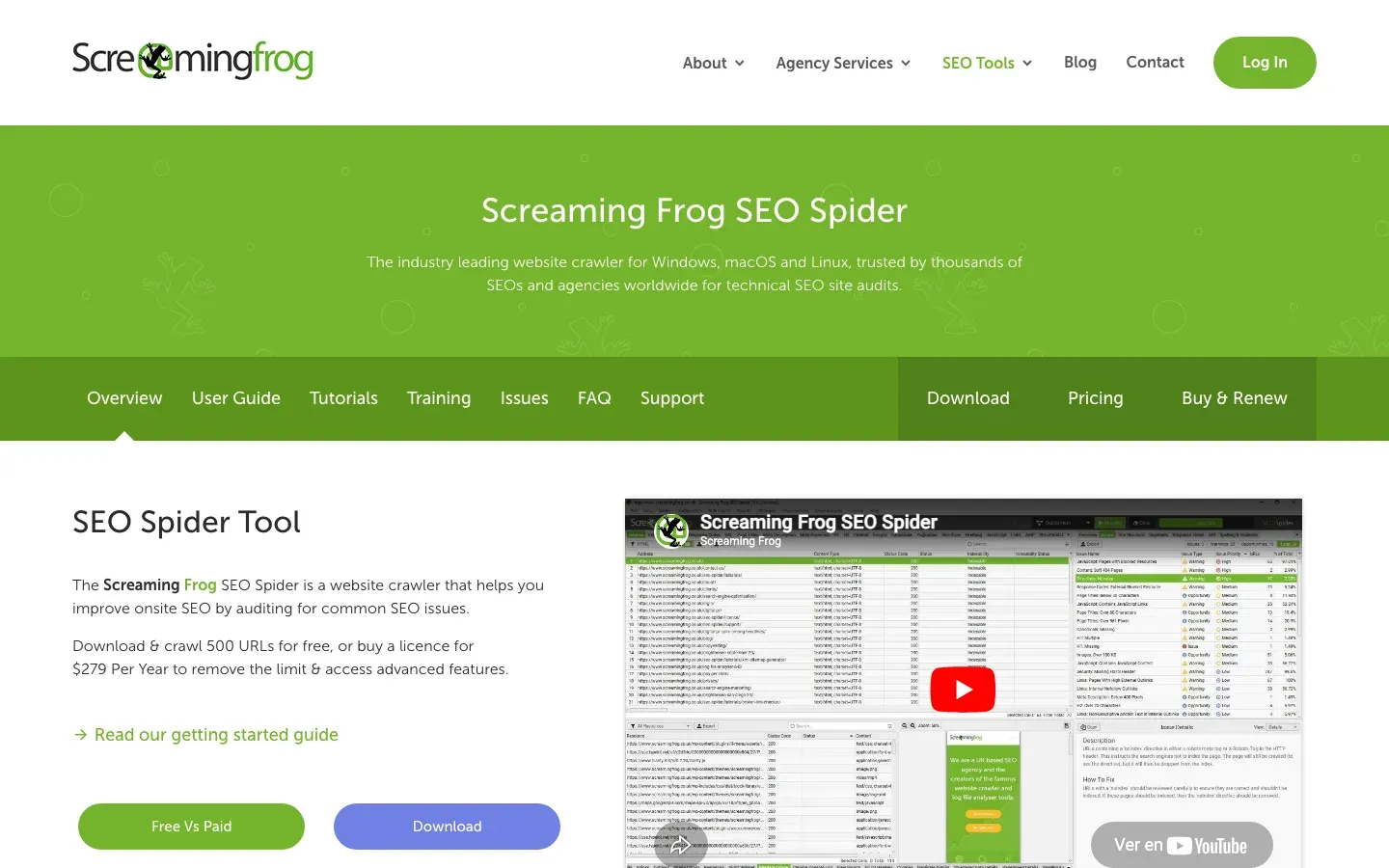
The default choice. Installs locally on Mac or PC.
- Pros. Deep crawling, finds broken links (404s), visualizes site architecture.
- Cons. Paid license required for more than 500 URLs. UI looks like an Excel spreadsheet from 1999.
2. Ahrefs / SEMrush
Cloud-based. They usually don’t crawl your site live; they show you what they’ve indexed over time.
- Pros. Shows which pages have the most backlinks.
- Cons. Expensive subscriptions ($100+/mo).
3. Hexomatic / Browse AI
No-code scraping platforms.
- Pros. Good for extracting data from URLs once you have them (e.g., pulling prices from product pages).
- Cons. Slow on massive sites.
The problem of orphan pages
Here’s the catch: a standard crawler (Levels 4 and 5) can’t find orphan pages.
An orphan page exists on the server but has zero internal links pointing to it. If nothing links to it, the crawler can’t click to it.
How to find orphan pages:
- Cross-reference. Compare your crawled-URLs list (Screaming Frog) with your sitemap-URLs list. Anything in the sitemap but not the crawl is an orphan.
- Google Analytics. Check the Landing Pages report for the last year. Users might be arriving via email links or social ads that aren’t in your menu.
- Log file analysis. The nuclear option. Ask the server admin for the access logs. They show every URL anyone has requested, so they reveal everything.
Monitoring your digital footprint
Finding URLs on your domain is step one. The harder question is where your URLs show up on the rest of the web, specifically in the hidden layer of AI answers.
Traditional crawlers stop at the website boundary. They can’t see inside ChatGPT or Perplexity. That’s where cloro comes in.
You might map your domain perfectly, but if an AI engine is hallucinating a pricing page that doesn’t exist, or pointing users at a broken 404, your audit is incomplete.
A modern discovery stack:
- Screaming Frog, to map your physical structure.
- Google Search Console, to map your search visibility.
- cloro, to map your AI visibility and check that the robots are citing the right pages.
Knowing your domain is good. Knowing how the world sees your domain is better.
Frequently asked questions
How do I find every page on a website?+
Start with the sitemap (`/sitemap.xml`). Then use a crawler like Screaming Frog to find linked pages. Finally, check search engines using `site:` operators.
What are orphan pages?+
Pages that exist on a website but have no internal links pointing to them. They are hard for users and crawlers to find.
Can I find hidden pages?+
You can find unlinked pages if they are indexed by Google (using `site:domain.com`) or archived in the Wayback Machine, even if they aren't in the navigation.
Can the Wayback Machine help find old URLs?+
Yes, the Internet Archive's Wayback Machine has snapshots of billions of web pages over time, allowing you to discover URLs that may no longer be live on the current site.
How do I find URLs on JavaScript-rendered sites?+
Standard HTTP crawlers struggle with JavaScript. You need a headless browser (like Playwright or Selenium) to execute the JavaScript and render the full DOM before extracting links.