Scraping Google Trends

On this page
Scraping Google Trends means using automated scripts to pull search interest data directly from Google’s platform. Since Google’s official Trends API is still a limited alpha, this is how you turn a manual, one-off process into a scalable data pipeline for trend research.
What Google Trends data is actually good for
The point of Google Trends is catching a consumer shift before it goes mainstream, which is why scraping it has stopped being a niche technical skill for most teams.
One caveat belongs at the top, because it changes how you read any search-demand series in 2026: a growing share of what reaches Google is not a person. Classifying every query row on cloro.dev from February to July 2026, 18.9% of July query impressions were machine-issued, up from 3.1% in March, across 140,616 impressions that returned zero clicks in every month measured. Those queries carry tells such as instruction verbs aimed at a model and numeric job identifiers.
Trends reports relative interest rather than raw volume, so this does not invalidate it. It does mean a sharp rise in a term that agents like to issue can reflect automation adopting a phrase rather than consumers adopting a product. Sanity-check a surprising spike against a human signal before acting on it. It is a direct read on what people are searching for right now. For example, understanding the most asked questions on Google gives you a foundation for public interest, which trend data can then quantify over time.
Why people pull this data
Google Trends is an unfiltered look at what the world is curious about right now, which makes it useful for spotting behavioral patterns and for pressure-testing a business idea before you sink money into it.
Market validation is the most common use. Thinking of launching a new product? Track search interest for related terms before you invest in development, since a steady upward trend for “sustainable packaging” can validate an eco-friendly product line. Content teams work the same signal in reverse, chasing topics people are already searching for: a sudden spike in “air fryer recipes” is worth a lot to food bloggers and appliance brands. And because you can compare your brand’s search interest against a competitor’s, you can watch a rival’s marketing campaign move their public visibility in near real time.
The challenge has always been getting this information at scale. The web interface is fine for quick spot-checks, but impractical for ongoing, large-scale analysis. Scraping Google Trends at scale closes that gap.
The move worth making is from one-off scripts to a pipeline that runs on its own, so Trends becomes a data source you query rather than a site you visit.
Google Trends scraping methods at a glance
Each method for scraping Google Trends has its own trade-offs around complexity, cost, and what it’s ultimately good for.
| Method | Primary Use Case | Complexity | Scalability | Best For |
|---|---|---|---|---|
pytrends Library | Ad-hoc analysis & small projects | Low | Low | Quick data pulls for research or academic projects. |
| Request Replay (cURL) | Lightweight, server-side scripting | Medium | Medium | Automated, low-volume tracking on a server without a browser. |
| Headless Browsers | Mimicking real user behavior | High | Medium | Reliable scraping for complex queries that require JavaScript. |
| Scraping APIs | Enterprise-grade, large-scale data | Very Low | Very High | Businesses needing reliable, high-volume data without maintenance. |
The takeaway: pytrends and cURL replay cover a one-time report or a light server job; reach for a headless browser only when the data you need loads via client-side JavaScript, and reach for a scraping API once reliability at volume matters more than owning the code.
This isn’t theoretical: real surges show up in this data
Scraping Google Trends surfaced market shifts like the 1,200% global surge in “ChatGPT” searches in early 2023. That term peaked at an interest score of 100 by March.
During that same window, related queries like “AI tools” rose 450% in the US alone. Capturing that kind of moment requires tools that can handle Google’s protective measures, which block most naive automated requests.
A workflow that automates that discovery is how you avoid missing the next shift. The rest of this guide is how to build one.
Your technical toolkit for extracting Trends data
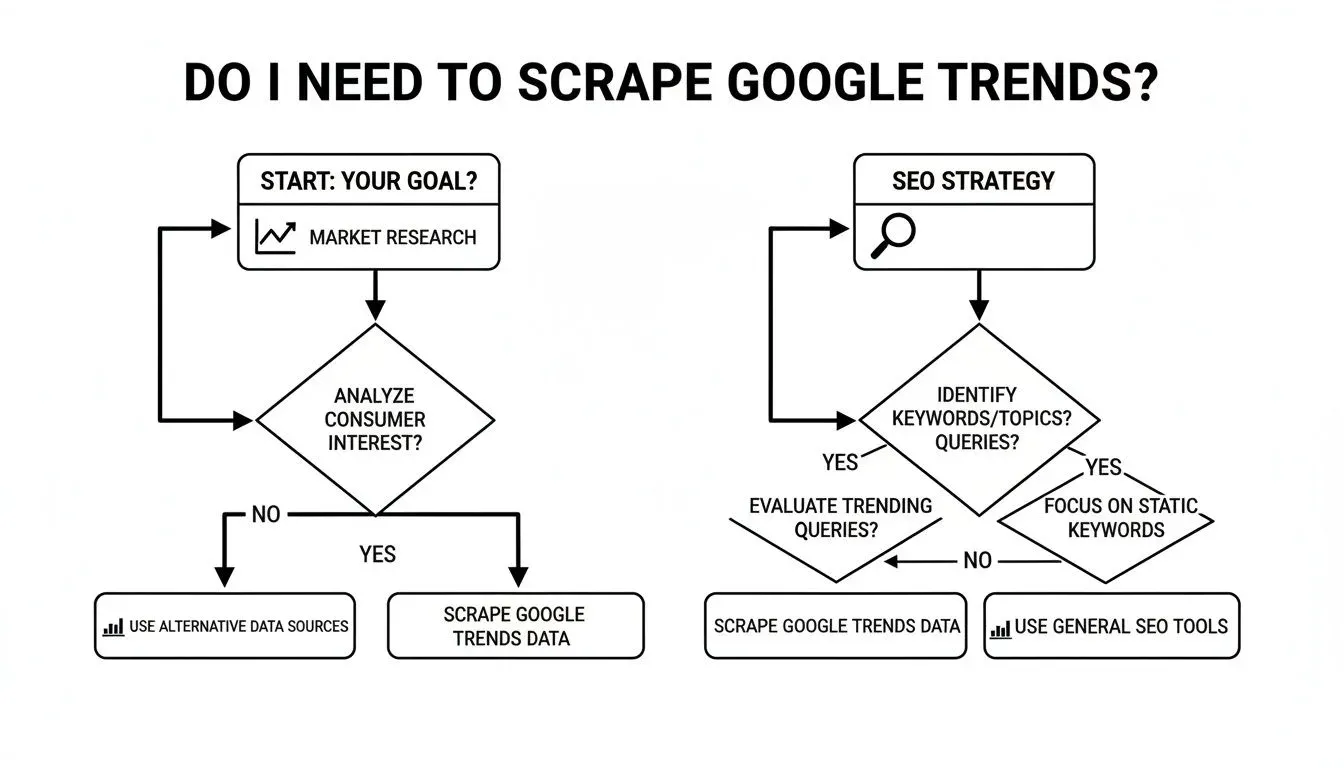
Below are the core methods for scraping Google Trends, from quick one-off scripts to building a real data pipeline. Each technique has its place, and the trade-offs decide which one you want.
The pytrends library: a starting point
For most developers new to scraping Google Trends, pytrends is the obvious starting point. It’s an unofficial Python library that wraps the internal API endpoints Google Trends uses on the backend. (If you’re building out a broader data pipeline, our web scraping with Python guide maps the wider toolkit these pulls fit into.)
The appeal is simplicity. You can get going in minutes without reverse-engineering any network requests. Install it with pip and you’re off.
Here’s an example of grabbing “Interest Over Time” for a few keywords.
from pytrends.request import TrendReq- Set up the connection to Google
pytrends = TrendReq(hl='en-US', tz=360)- What keywords are we interested in?
kw_list = ["AI writer", "content marketing", "SEO tools"]- Build the request payload
pytrends.build_payload(kw_list, cat=0, timeframe='today 12-m', geo='US', gprop='')- Go get the data!
interest_over_time_df = pytrends.interest_over_time()print(interest_over_time_df.head())The script returns a clean pandas DataFrame, ready for analysis or plotting. But pytrends has one major weakness: rate limits. Make too many requests in a short period and Google will hit you with a 429 “Too Many Requests” error.
pytrendsworks well for small-scale analysis and quick explorations. It is not built for large-scale, continuous scraping.
When to use a headless browser
What if the data you need isn’t available through the simple API calls pytrends uses? The “Rising” and “Top” related queries, for instance, are often loaded dynamically with JavaScript after the main page renders. That’s where a headless browser comes in.
A headless browser is a regular browser like Chrome or Firefox that runs without a graphical interface. You control it entirely through code. Tools like Playwright or Selenium let you automate a real browser to:
-
Navigate to a Google Trends URL.
-
Wait for all the dynamic JavaScript content to load.
-
Extract the complete, final HTML of the page.
This method gives you a more accurate snapshot of what a real user sees. The main advantage is data fidelity.
The trade-off: headless browsers are resource-hungry, demanding more CPU and memory than simple HTTP requests. Use them when you need to capture data rendered by client-side JavaScript.
Replaying network requests: the power user’s method
For the most efficient and scalable custom setup, skip browser automation and replicate the network requests directly. It’s an advanced technique that gives you the speed of simple HTTP requests with the rich data of a full browser session.
The approach:
-
Use your browser’s developer tools (the “Network” tab) to spy on the API calls the Google Trends page makes as you interact with it.
-
Isolate the specific requests that fetch the data you want.
-
Recreate those exact requests in your code using a library like
requestsin Python oraxiosin Node.js.
This approach requires you to carefully manage things like cookies and request headers to mimic a legitimate browser session.
The payoff is speed and low overhead. You aren’t loading an entire webpage or a browser engine, just the specific API calls that get the data. That makes it well-suited for high-volume, server-side scraping jobs.
For a broader view of the tooling, see our guide to the best web scraping tools. Each method here trades speed against complexity and data accuracy.
Overcoming anti-bot defenses and scraping obstacles
Once you move beyond a few casual requests, scraping Google Trends at any real scale becomes a fight against Google’s anti-bot systems, and most projects stall right here against CAPTCHAs and IP blocks. Google is good at identifying and shutting down automated traffic. Getting past that is the difference between a script and a pipeline you can leave running, and it mostly comes down to making the scraper behave less like a bot and more like a person.

The key is distributing requests and randomizing access patterns.
Intelligent proxy rotation
Making many requests from the same IP is the most obvious bot signal there is. The fix is a proxy IP rotator, used with some thought rather than as a flat list of IPs.
For scraping Google Trends, residential proxies are what actually holds up. These are real IPs from actual ISPs, so requests look like they’re coming from home users. They’re far less likely to get flagged than datacenter proxies, which are easy to spot and often blocked outright.
The pool needs to be large, because the more IPs you have the fewer requests each one makes. The IPs also need to match the geography you’re querying, so a country’s Trends data comes from proxies sitting in that country. And multi-step queries need session management: a “sticky” session keeps the same IP long enough to hold a consistent user profile. Mismanage the IP footprint and the scraper goes down fast.
Having proxies is the easy half. Using them in patterns that look like ordinary browsing, with randomized timing on good residential IPs, is what keeps a scraper alive.
Dealing with CAPTCHAs and rate limits
Even with good proxy management, you’ll hit a CAPTCHA. Manually solving them isn’t an option in an automated pipeline.
That leaves two paths: integrate a third-party CAPTCHA-solving service, or use a scraping API that handles it for you. These services use a mix of human solvers and machine learning to crack the puzzle and return the solution to your script. For a deeper dive, see our guide on how to solve CAPTCHAs when web scraping.
Worth a sanity check before you invest in all this plumbing: if the search data you actually need is Google SERP or AI-engine results rather than Trends, you can sidestep the anti-bot fight entirely and call a hosted SERP API from Python — proxies, rendering, and CAPTCHAs are handled server-side.
Beyond CAPTCHAs, you’ll run into rate limits. That’s Google saying you’re asking for too much, too fast. A naive script crashes or gets blocked; a better one backs off and retries.
A common approach is exponential backoff. If a request fails, the script waits 2 seconds. If it fails again, 4 seconds, then 8, and so on. That keeps you from hammering the server and often resets the rate-limit counter.
Browser fingerprinting and header management
Advanced anti-bot systems look at more than your IP. They analyze your browser fingerprint, a combination of data points about your system and browser.
That fingerprint includes:
- User-Agent. The string identifying your browser and OS.
- Screen resolution. The size of your display.
- Installed fonts. The list of fonts on your system.
- Browser plugins. Any extensions installed.
When you use a simple library like requests in Python, you send a very basic, non-browser-like fingerprint. To look more human, rotate User-Agent strings and mimic the headers real browsers send. A headless browser like Playwright handles a lot of this automatically.
Demand for reliable trend data has fueled a boom in commercial scraping platforms. By 2026, automated platforms are projected to handle data extraction for over 90% of SEO workflows, returning keyword and category data without the IP-block headache.
Combine proxy rotation, CAPTCHA handling, rate limiting, and fingerprint management, and you have a scraper resilient enough to keep scraping Google Trends at scale.
Making sense of your scraped data
Most of the value shows up after you clean and structure the data. That means knowing the quirks of Google’s index, standardizing the numbers so you can compare across queries, and storing them in a way that fits the job, whether that’s a one-off report or a long-term monitoring system.

Cracking the 0-to-100 index
The most common beginner mistake is confusing the Google Trends index with actual search volume. A score of 100 does not mean “100 searches.” It represents the point of peak popularity for a term within a specific timeframe and location, since Google scales every series to a 0-100 range based on a term’s proportion of all searches.
Everything else is relative to that peak. A score of 50 means the term had half the search interest it did at its most popular moment. Treat it as a normalized scale for comparing a keyword’s popularity against itself over time, not for measuring raw counts.
For example, if “crypto wallet” has a score of 80 in January and “NFT marketplace” has a score of 40, you can’t say the first got twice as many searches. You can only say “crypto wallet” was closer to its own peak than “NFT marketplace” was to its.
Normalizing data so you can compare across queries
Scrape Google Trends for multiple keywords or regions and you’ll hit a data consistency wall. Each query returns its own isolated 0-100 scale, which makes direct comparisons between queries impossible.
To build a usable dataset, normalize the data. A common technique is to include a stable, high-volume benchmark keyword in every query. If you’re analyzing niche tech terms, add a universally popular term like “weather” to every API call.
By comparing each target keyword to that benchmark, you create a common reference point. That’s how you stitch separate datasets into a single view for cross-keyword analysis.
By comparing your target keyword against a consistent benchmark term (e.g., “weather”) in every request, you can normalize disparate datasets. This lets you more accurately compare the relative interest of “Topic A” from one query to “Topic B” from another.
Skip normalization and any comparison you draw across queries is unsound.
For years, reliably merging these datasets was a major pain point for developers. In July 2025, Google launched its official Trends API in alpha, which provides consistently scaled 5-year historical datasets that can be merged across requests. You can read more about the new official API and its features on decodo.com.
Choosing where to keep your data
Once your data is clean and normalized, you need a place to put it. The right choice depends on the scale and complexity of your project. Don’t over-engineer, but don’t lock yourself into a format that won’t scale.
The main options:
| Storage Format | Pros | Cons | Best For |
|---|---|---|---|
| CSV Files | Simple, human-readable, and works with everything like Excel and Google Sheets. | Gets slow and clunky with large datasets; not great for complex relationships. | Small, one-off analyses and sharing data with non-technical folks. |
| JSON Files | Lightweight, flexible, and perfect for web environments. Great for hierarchical data. | Can be less efficient to query than a database; files can get huge and unwieldy. | Storing structured API responses and for projects using JavaScript-based tools. |
| Databases (PostgreSQL, BigQuery) | Massively scalable, powerful for querying, and built for performance with huge datasets. | More complex to set up initially and requires knowing some SQL. | Large-scale, ongoing data collection and complex business intelligence projects. |
For most ongoing scraping projects, JSON or CSV files are fine to start. Once data volume creeps into the millions of rows, migrating to a database like PostgreSQL becomes necessary for efficient querying and analysis.
Scaling your data extraction with a web scraping API
Building your own tool for scraping Google Trends is a useful technical exercise. It turns into a resource drain the moment a real business depends on the data, because the cycle of code updates, failing proxies, and CAPTCHA-solving is a full-time job for somebody. Unless that somebody’s job is data acquisition, a dedicated web scraping API absorbs the whole problem behind one call.
The true cost of in-house scraping
Building a system for scraping Google Trends is more than writing a Python script. You’re signing up to maintain brittle infrastructure.
That includes:
- Proxy networks. Acquiring and maintaining a large pool of residential proxies is expensive and logistically painful.
- Anti-bot circumvention. You have to constantly reverse-engineer new CAPTCHAs, fingerprinting techniques, and whatever new security measures Google rolls out.
- Scraper maintenance. Google changes its layout and internal API structure regularly. Every change can break your scraper.
All that upkeep pulls engineers away from your core product.
What you are buying is clean, structured data on demand, which is really time. Your team spends it on analysis instead of maintenance.
How a scraping API delivers data at scale
A managed API flips the model. Instead of wrestling with infrastructure, your team sends a request specifying keywords, location, and timeframe. The API does the work and returns a clean JSON response.
The Cloro API platform is built for exactly these large-scale, high-reliability requests. Developers can get started in minutes with pre-built examples and clear pricing. A good API offers 99.9%+ uptime and the concurrency needed for enterprise data operations.
Outsourcing the messy parts changes what the team spends its time on. JSON pipes straight into BI tools, databases, or warehouses with no pre-processing. Engineers stop maintaining a scraper that keeps breaking. And going from a few hundred queries a day to millions no longer means reworking your infrastructure. For companies that depend on fresh trend data, that is most of the operational cost gone. If you’re managing extraction across multiple platforms, see our guide to large-scale web scraping.
Google Trends scraping gotchas and caveats
Scraping Google Trends comes with specific gotchas. Below are the questions developers and data analysts ask most often, covering both the legal gray areas and the technical blockers.
Is it legal to scrape Google Trends?
The answer isn’t a simple yes or no. Scraping publicly available data, which includes everything on the Google Trends site, is generally considered legal in many jurisdictions, including the U.S. Major court rulings have consistently held that data accessible without a login is fair game.
But how you scrape matters as much as what you scrape. Do it ethically:
- Scrape at a reasonable rate. Don’t hammer Google’s servers and degrade the service.
- Respect the
robots.txtfile. It’s the site owner’s rulebook for crawlers. - Don’t misuse the data. No malicious use, no violations of privacy law.
Does Google allow it? Google publishes no permission for scraping Trends, and its own sanctioned route is the API alpha below. Apify advises reviewing Google’s terms of service and respecting its rate limits before you scrape.
For large-scale commercial projects, it’s worth talking to a lawyer who specializes in data law. A managed scraping API also reduces risk, since these services are built to operate within legal and ethical lines.
Is there an official Google Trends API?
Yes, but few teams can use it. Google announced the Google Trends API in alpha in July 2025, open to a very limited number of approved testers. It returns search interest scaled consistently across requests, so you can merge pulls instead of re-fetching the whole period, for a rolling 1,800 days with daily to yearly aggregations and region breakdowns. The values are still relative interest, not absolute searches. Without alpha access, the methods in this guide remain the way in.
Can I get absolute search volume from Google Trends?
No, and this trips up a lot of people. Google Trends does not give you absolute search volume. It provides a normalized index from 0 to 100.
What that means:
- A score of 100 represents peak popularity for that term within the timeframe and location you chose.
- A score of 50 means the term had half the relative search interest it did at peak.
You cannot look at this index and say, “This keyword got X searches.” The value is in understanding relative interest, spotting momentum, and comparing trends over time.
To estimate actual search volume, cross-reference trend data with a tool like Google Keyword Planner. Even then, it’s still an estimate.
Why does my pytrends script keep getting blocked?
If pytrends is hitting you with 429 errors or getting blocked entirely, you’re crashing into Google’s rate limits and anti-bot systems. It’s the most common technical headache when scraping Google Trends at scale.
The trigger is usually too many requests from a single IP in a short period. To Google, that pattern reads as a bot.
The fix is to move beyond simple scripts. Use a pool of rotating residential proxies so requests look like they come from different, real users. Add randomized delays between requests (jitter) and cycle through User-Agent headers. This is exactly the kind of work a professional scraping API handles for you.
How fast the SERP behind a trend actually moves
Trends tells you interest moved. It does not tell you whether the results page has reorganized around that interest yet, and that gap decides your sampling schedule. So we measured the second half.
We compared pairs of consecutive daily Google SERP captures from cloro’s monitoring corpus, same query, median 24 hours apart, top ten organic results each time. The first reading covers 1 to 19 August 2026 (4,252 pairs). We re-measured it over the 19 days to 7 October 2026 (2,960 pairs), and the page had become much less stable on every line.
| Day over day, same query | August 2026 | October 2026 |
|---|---|---|
| Top-10 URLs still present the next day | 75.4% | 54.3% |
| Same URL still at position 1 | 72.9% | 53.6% |
| Identical top-10 set | 16.3% | 9.3% |
| Same top three, in the same order | 44.3% | 30.0% |
On the October reading nearly half of the top ten turns over every day, the number-one result changes on nearly one day in two, and only one day in eleven returns exactly the results of the day before. Both columns count every capture in the window. An earlier version of this table used a capped sample, which read the August figures within two points of these and the October ones about ten points too high.
Three things follow for a trend pipeline.
A weekly Trends pull is coarser than the thing it is meant to explain. Seven days is about three full rotations of the top ten. By the time a weekly datapoint shows a term rising, the page has already reshuffled three times, and the competitive set you would have acted on is gone.
One SERP snapshot is not a baseline. If you pair a Trends spike with a single capture of the results page to see who is winning, 46% of what you recorded is noise. Capture the SERP on the same daily cadence as the trend series, or compare a multi-day average rather than a day.
And the answer engines move at least as fast as the ranking underneath them. In August, on the same corpus, Google AI Mode reused 39.1% of the domains it cited the previous day, against Google organic’s 75.4% URL carry-over. By October the two had nearly met: AI Mode reused 50.8% and organic carried over 54.3%. The gap closed because the ranking got less stable, and AI citations stayed the faster-moving of the two on both readings. A trend pipeline built to track AI visibility rather than rankings needs to sample more often, not less, and needs to average across repeated runs before any single movement means anything.
Rate-limit and blocking patterns we’ve observed
Google Trends has no published rate limit, so what’s below is empirical, based on scraping Google Trends across hundreds of thousands of queries over multiple quarters. Treat it as guidance, not gospel. The rate-limit figures in particular are accumulated operator experience rather than a dated run, unlike the SERP measurements above.
- The first wall hits fast. A single IP hammering the unofficial endpoint typically gets a
429after roughly 10-15 sequential requests within a minute. Adding 5-10s of jitter between requests pushes that to about 50 before the first block. - Datacenter IPs die quickly. AWS and GCP IP ranges are pre-flagged. We’ve seen brand-new EC2 instances rate-limited on request #3.
- Residential pools work, but rotate aggressively. One request per IP per 60 seconds is roughly the safe ceiling. Going faster increases CAPTCHA-page rates non-linearly.
- Cookies matter. Reusing a session cookie across thousands of requests is a stronger fingerprint than the IP. Clear cookies on every IP rotation.
- Blocks are sticky. Once an IP is flagged, it tends to stay flagged for 12-24h. Don’t waste time retrying. Burn it and rotate.
Be honest about the limitation: no provider, including cloro, can guarantee 100% success when scraping Google Trends. Anyone claiming otherwise is selling marketing copy.
Example query and sample output structure
A minimal pytrends call that returns interest-over-time for two terms across the last 90 days, with the shape of the data you get back.
from pytrends.request import TrendReq

pytrends = TrendReq(hl='en-US', tz=360)
pytrends.build_payload(
    kw_list=['ai seo', 'serp api'],
    timeframe='today 3-m',
    geo='US',
)
df = pytrends.interest_over_time()
print(df.tail())
Sample output (truncated):
              ai seo  serp api  isPartial
date
2026-04-19      71        38      False
2026-04-20      74        41      False
2026-04-21      82        43      False
2026-04-22      85        45      False
2026-04-23      78        42       True
The isPartial: True row means Google hasn’t finished aggregating that day yet. Drop it before charting.
Stop wrestling with scraper maintenance and get the clean data you need. cloro is a high-scale scraping API that abstracts away proxy rotation, CAPTCHA solving, and browser fingerprinting. Integrate reliable trend data into your workflows with a single API call. Start for free with 500 credits at cloro.dev.

About the author
Ricardo Batista
Founder, cloro
Ricardo is one of the founders and engineers behind its SERP and AI-search scraping infrastructure. Before cloro he scaled a financial comparison site to $7M ARR and ran the full-country operations of a unicorn to $65M ARR, then went back to building. He writes about search engine scraping, generative-engine optimization, and turning live search and AI-answer data into something teams can act on.
Frequently asked questions
Is Google Trends data free?
Yes — the underlying data on `trends.google.com` is free. The unofficial API exposed by libraries like `pytrends` is also free, but unsupported and aggressively rate-limited.
Can I get absolute search volumes from Trends?
No. Trends only returns a 0–100 relative interest index. For absolute volumes, cross-reference with Keyword Planner or a paid keyword tool like DataForSEO.
How far back does Trends data go?
To 2004 globally. The `timeframe` parameter accepts ranges from `now 1-H` (last hour) to `all` (since 2004).
Why do my numbers fluctuate between requests?
Trends samples its data, and the sample window can shift. Running the same query twice within minutes can return slightly different curves. For research, average across 3–5 pulls.
What's a sustainable scrape rate?
Empirically, 1 request per IP per 60 seconds with a residential pool of 50+ IPs lands around a 95% success rate. Below that pool size, expect frequent blocks.
Is there an official Google Trends API?
Only in alpha. Google announced the Google Trends API in July 2025 for a very limited number of approved testers. It returns consistently scaled search interest for a rolling 1,800 days (about 5 years), with daily, weekly, monthly, and yearly aggregations and region breakdowns. Without alpha access, every production pipeline still reads the front-end JSON endpoint.