Large Scale Web Scraping for AI and SEO

On this page
Large-scale web scraping is the engine behind modern business intelligence for SEO and AI teams. It’s how you pull large volumes of data from websites to track competitor strategies, monitor volatile search results, and feed proprietary AI models with fresh information.
Why scraping at scale matters
SEO teams and enterprise brands chasing a competitive edge now treat it as a working tool. We’re not talking about pulling data from a handful of pages, but about systematically collecting information from thousands or millions of URLs on a recurring basis.
The goal is to answer critical business questions in near real-time:
-
How are my competitors adjusting their pricing or product catalog?
-
What content is ranking in Google’s new AI Overviews for my most important keywords?
-
How is my brand being represented across different e-commerce platforms?
What large-scale web scraping actually means
Large-scale means millions of pages, across one huge site or thousands of smaller ones, and the constraint that changes first is time. Crawlbase gives a worked example: a category with 20,000 listing pages of 20 items each is 400,000 pages to fetch. At 2.5 seconds per page, a sequential run takes about 1,000,000 seconds, or 11.5 days, before you parse a single field. Run 200 pages in parallel and that drops toward an hour. So the move from regular to large-scale scraping is a move from a script to a concurrent system with a queue, workers, proxies and retries, which is what the rest of this guide covers.
Simple scripts break down at scale
A simple Python script handles a one-off task, but it will crumble under the demands of a large-scale operation. You’ll hit sophisticated anti-bot measures, IP blocks, CAPTCHAs, and website structures that change without warning. Success requires a system designed for resilience and efficiency.
The market reflects this. In 2024, web scraping was estimated at USD 1.01 billion, with some forecasts predicting USD 3.5 billion by 2032 as demand for reliable data grows.
Implementing large-scale web scraping forces a strategic choice. Build your own system from scratch, or use a managed scraping API. The decision directly impacts your budget, timeline, and where your engineering team spends its energy.
DIY scraping vs managed API
An in-house solution gives you complete control, but saddles your team with maintaining brittle infrastructure. You’re on the hook for everything: managing proxy networks, solving CAPTCHAs, and updating parsers every time a target site changes a single <div>.
A managed API takes that operational burden off your plate. The table below breaks down the key trade-offs.
| Factor | DIY Scraping Infrastructure | Managed Scraping API (e.g., cloro) |
|---|---|---|
| Initial Setup | Weeks to months of development and testing. | Minutes to integrate a single API endpoint. |
| Maintenance | High. Constant updates for anti-bot measures, parsers, and proxies. | Zero. The API provider handles all maintenance behind the scenes. |
| Total Cost | High hidden costs: engineering salaries, proxy fees, server costs. | Predictable, usage-based pricing. Often lower total cost of ownership. |
| Scalability | Complex. Requires managing distributed workers and auto-scaling groups. | Built-in. Effortlessly scale from 100 to 100M requests. |
| Focus | Engineering team focuses on infrastructure management and firefighting. | Team focuses on analyzing data and driving business value. |
| Reliability | Variable. Success rates depend on your team’s expertise and time. | High. Backed by SLAs and a dedicated team of scraping experts. |
The choice comes down to where you want your team to spend its time.
Key takeaway: The “build vs. buy” decision is less about technical capability and more about business focus. Do you want your best engineers managing infrastructure, or analyzing the data that drives the business forward?
A managed API like cloro offloads the headache. Instead of wrestling with browser automation to extract data from a new AI-powered search result, you make a single API call and receive clean, structured JSON.
This lets your team focus on using data, not fighting to acquire it. See our guide on using AI for web scraping for how much this simplifies complex data extraction.
Building a resilient scraping architecture
A successful large-scale scraping operation needs a solid foundation, not just a script. To avoid constant failures and IP blocks, your architecture has to be designed for resilience from the start. That means deliberate choices about how you request data, manage tasks, and interact with target sites.
Your first decision is the classic trade-off: lightweight HTTP requests or a full headless browser. For static sites where all content lives in the initial HTML, HTTP requests are faster and cheaper. For JavaScript-heavy sites (dynamic pricing on e-commerce platforms, AI-powered search results) you need a headless browser like Playwright or Puppeteer to render the page as a user sees it.
The chart below shows the high-level workflow that a well-built scraping architecture makes possible.
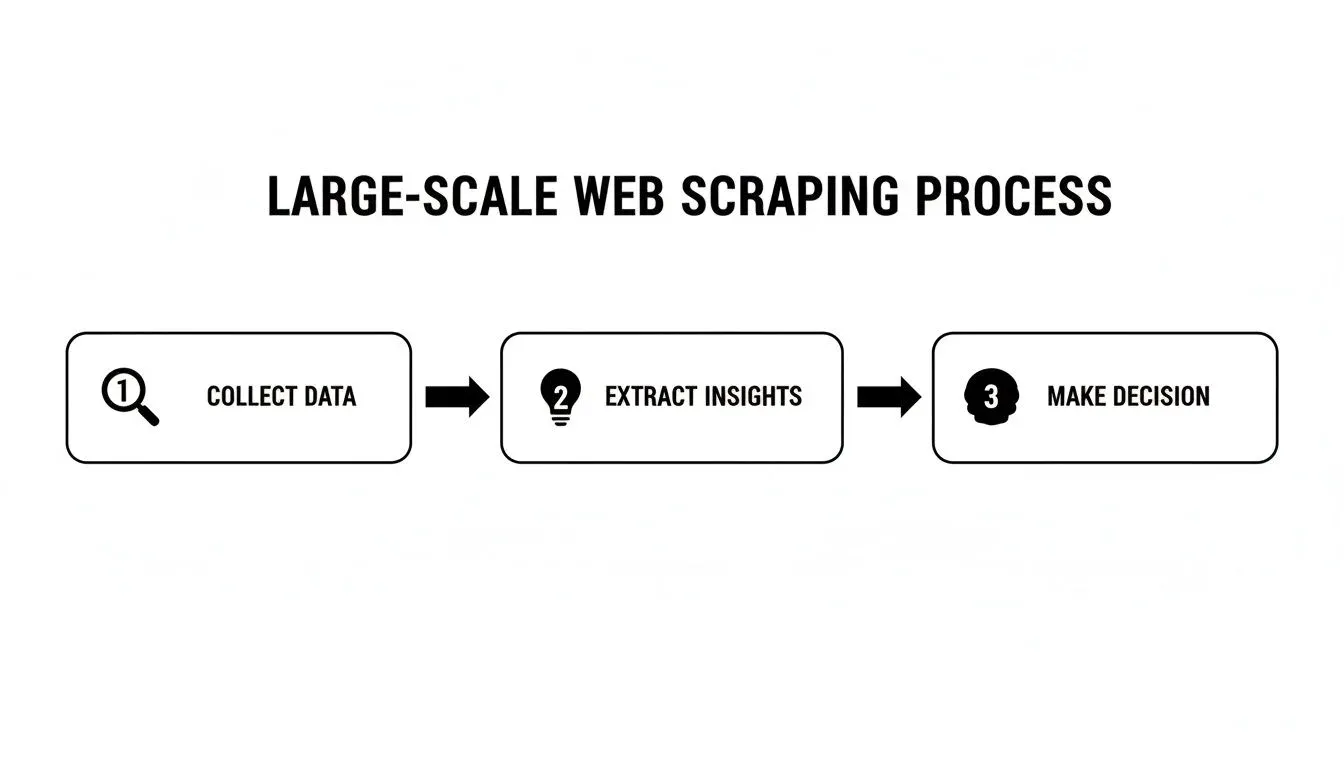
The point is turning raw data collection into business intelligence.
Orchestrating tasks with a distributed job queue
When you’re scraping millions of pages, you can’t run requests in a simple loop. A distributed job queue solves this. Systems like RabbitMQ, Redis, or AWS SQS act as a central hub for scraping jobs.
Your main application fires URLs into the queue, and a fleet of independent worker processes picks them up. An SEO agency monitoring daily SERP changes for 10,000 keywords could push each keyword search as a single job into SQS. Auto-scaling workers chew through them in parallel. The benefits stack:
- Decoupling. Your application isn’t stuck waiting for a scrape to finish. It adds jobs and moves on.
- Scalability. Add more worker machines to process jobs in parallel without touching the core application.
- Resilience. If a worker crashes mid-scrape, the job goes back to the queue for another worker to grab.
A sophisticated proxy strategy
No scraping operation survives without a proxy strategy. Hitting a site from the same IP repeatedly is the fastest way to get blocked. The professional approach rotates through a diverse pool of IPs to look like many different real users.
Assume failure. Your architecture should expect that some requests will fail due to blocks, timeouts, or network errors. Smart retry logic and a resilient job queue are mandatory.
To get past advanced anti-bot systems, you need a mix of proxy types:
- Datacenter IPs. Fast and cheap, but easily detectable. Fine for sites with basic or no protection.
- Residential IPs. Tied to real ISPs, these look like genuine home users and are harder to spot. Essential for protected targets like major e-commerce sites or search engines.
- Mobile IPs. Associated with mobile carriers, these are the most trusted and least blockable. Also the most expensive, so save them for your toughest targets.
In practice you need a proxy management layer that rotates IPs automatically, retries blocked requests, and picks the right type of proxy per domain.
The cat-and-mouse game keeps escalating. Scrapers are projected to account for 10.2% of global web traffic by 2026. Sites deploy tougher defenses, scrapers develop better evasion techniques, and developers need reliable tools that consistently bypass blocks. See the 2026 state of web scraping report for more.
Structuring messy data for AI and SEO workflows

Raw HTML from a scraping pipeline is noise. Value emerges when you transform that into clean, structured data that AI models and SEO tools can actually use.
It’s tempting to grab a CSS selector or XPath and call it done. That’s a rookie mistake. Modern web interfaces, especially dynamic ones like Google’s AI Overviews, ship with shifting layouts and randomized class names. Rigid selectors break every time a developer pushes a minor UI tweak.
Building parsers that last
Durable parsers understand the meaning of content, not its location or styling. Hunt for semantic HTML tags like <article> or <section>, ARIA roles, or stable data-* attributes that change less often than CSS classes.
Instead of targeting a <div> with a class like .search-result-1a2b3c, look for an element with role="listitem" inside a container with role="list". This holds up against cosmetic changes that kill most scrapers.
One technique I’ve leaned on is heuristic-based parsers. These don’t depend on a single perfect selector. They combine rules to triangulate the data you need:
- Find the main content block by identifying the largest text node on the page.
- Extract the title by looking for the
<h1>tag, or failing that, the largest heading tag within that block. - Identify source links by searching for anchor tags (
<a>) that point to external domains.
If one rule fails, others succeed, which makes the pipeline more reliable over time.
Data refinement: turning raw scrapes into usable data
Scraped content isn’t usable straight off the page: refinement makes it reliable enough to build on. Once you’ve pulled the raw content, refinement starts. The three pillars are normalization, cleaning, and deduplication.
Data normalization forces all your data into a consistent format. Non-negotiable when scraping multiple sources. Convert all dates to ISO 8601, store every price as a numeric type without currency symbols, and so on.
Data cleaning fixes or removes incorrect, corrupted, or irrelevant data. That can mean trimming whitespace and stripping leftover HTML tags, or validating that a scraped phone number contains only digits.
When scraping at scale, assume failure and embrace the mess. A meaningful portion of your collected data will be imperfect. The goal isn’t 100% accuracy on the first pass. It’s building a pipeline that systematically cleans and enriches data until it becomes useful.
Deduplication matters for efficiency. When scraping millions of pages, you’ll hit the same piece of information repeatedly. Hashing content as it arrives lets you skip redundant storage, saves on storage bills, and simplifies analysis.
From unstructured HTML to clean JSON
Take a real example: scraping a Google AI Overview result. The raw HTML is a jumble of generated summary, source links, and maybe a shopping carousel. The job is to map this into a predictable JSON object.
A managed scraping API like cloro handles the process for you. The service delivers a structured JSON object directly, which removes the cycle of fixing broken parsers.
The table below shows the data points worth capturing from AI-powered search results.
Essential data points from AI search results
These are the structured fields to capture from interfaces like Google AI Overviews, Perplexity, and Gemini.
| Data Point | Description | Example Use Case |
|---|---|---|
| Generated Summary | The primary text response generated by the AI model. | Tracking how the AI answers key questions about your brand or products. |
| Source Citations | The list of URLs the AI referenced to generate its answer. | Identifying which of your pages (or a competitor’s) are influencing AI results. |
| Related Questions | The “follow-up” questions suggested by the AI interface. | Discovering new long-tail keywords and content ideas directly from the AI. |
| Product Entities | Structured data for products shown in shopping carousels or cards. | Monitoring competitor pricing and product visibility within AI Overviews. |
Capturing these fields allows for deeper analysis than a list of blue links. You see how AI is interpreting and presenting information in your niche, which feeds SEO and product strategy directly.
Keeping your scraping pipeline online and healthy
Building a large-scale scraping system isn’t a set-and-forget deal. The work begins after the pipeline ships. Keeping it running is an operational marathon, and it separates successful data operations from a graveyard of broken scripts.
You’re operating a mission-critical data factory, and the foundation of any factory is knowing what’s happening on the floor.
Log everything
Your first line of defense is thorough logging. Not just errors, but a detailed audit trail for every request flowing through the system.
Logs need rich context, because “Request failed” on its own is useless. You need to know why: was it a 403 Forbidden, a 429 Too Many Requests, a timeout, or a CAPTCHA wall? This detail matters when you’re trying to figure out what went wrong.
Every log entry for a job should include:
- Target URL. The exact page you tried to hit.
- Proxy IP used. Which IP was assigned to this request, critical for spotting burned or underperforming proxies.
- Response status code. The HTTP status code the server returned.
- Request latency. How long the request took, end to end.
- Success/failure flag. Did you get the data or not?
Raw logs are for deep dives. For a real-time pulse, you need dashboards.
Turn raw logs into actionable dashboards
You can’t manage what you can’t measure. Feed logs into a visualization tool like Grafana or Datadog to build a command center for the operation. Dashboards turn endless streams of text into insights at a glance.
Assume failure is inevitable. Your goal isn’t to prevent 100% of errors. It’s to detect them instantly and understand the blast radius. Good monitoring makes that possible.
Dashboards should track these vital signs 24/7:
- Job queue depth. Is the URL list growing faster than workers can handle? A steadily climbing queue means the system is falling behind.
- Worker utilization. Are workers running hot or sitting idle? This helps right-size infrastructure and control cost.
- Success rate by domain. What’s the success percentage for each target? A sudden plunge for one domain is a red flag that they’ve beefed up their anti-bot measures.
- Proxy block rate. How many requests are getting blocked, and which proxy pools are taking the most hits? This is how you manage proxy inventory. For tough targets, see our guide on how to solve CAPTCHAs automatically.
Move from monitoring to observability
Monitoring tells you what broke. Observability tells you why. It’s the ability to trace a single failed request through a distributed system.
When a job fails, you should be able to follow its whole journey: from the moment it was queued, to the worker that grabbed it, to the proxy it used, and the final error it received.
You stop sifting through disconnected logs on different machines and start pinpointing the root cause in minutes. That’s the shift from reactive firefighting to proactive system management.
Running a cost-effective scraping operation
Scaling up scraping gets expensive fast. An operation that burns cash isn’t sustainable. The trick is making smart architectural choices from the start.
We costed this properly rather than guessing. Using published proxy and managed-browser prices fetched 2026-08-13, and the US median software-developer salary of $131,450 (BLS, May 2024) with a 1.3x loaded-cost multiplier, which is an assumption rather than a citation, one engineer costs about $14,240 a month:
| Workload | Proxy | Managed browser | Engineering | Total | Engineering share |
|---|---|---|---|---|---|
| 100k requests, 0.1 FTE | $150 | $399 | $1,424 | $1,973 | 72% |
| 500k requests, 0.2 FTE | $999 | $992 | $2,848 | $4,839 | 59% |
| 1M requests, 0.5 FTE | $5,000 | $1,984 | $7,120 | $14,104 | 50% |
Engineering is the largest single line at every volume, though it stops being a majority at the top. The engineer fraction also moves the total more than anything else: sliding it from 0.1 to 0.5 FTE changes the answer by $5,696, against about $4,850 for proxy bandwidth across the same range. Any scale estimate that quotes infrastructure and leaves the FTE assumption unstated has hidden its largest term, which is the usual reason these budgets overrun.
Costs sneak up on you. Engineering time is one, but recurring expenses for proxies, cloud compute, and data storage spiral quickly. A tiny inefficiency in a single request balloons into a budget overrun when you’re making millions of them.
Optimize performance and cut redundant work
One of the biggest money pits in scraping is re-doing work you’ve already done. Your first line of defense is intelligent caching. Before sending a request, the system asks: have I scraped this URL recently?
If the data is in your cache and fresh enough, you skip the entire process. This saves money on multiple fronts:
- Proxy costs. You don’t use a proxy for a request you never make.
- Compute. Your worker is free to tackle a new job.
- Target site load. You reduce your footprint and behave like a more polite bot.
Key takeaway: Failure is part of the process. You don’t need 100% success on every run. Even managed unblockers miss: in AIMultiple’s benchmark, the best content-verified success rate across 100 e-commerce domains was 76.0% and the lowest 59.4%, while on the Tranco top 10,000 domains the four unblockers ranged from 88% to 94%. If a non-critical URL fails, it’s often more cost-effective to retry on the next cycle than to build complex retry logic for every edge case.
Control cloud and proxy spend
Cloud compute and proxies are usually the biggest line items. Pay only for what you use. Auto-scaling is non-negotiable.
Your worker fleet should scale up to handle peak loads (a huge batch hitting the queue) and scale down to near-zero when idle. Running a massive server fleet 24/7 “just in case” is a recipe for a painful cloud bill.
The same pay-for-use principle applies to proxies. Don’t buy a fixed package of expensive residential IPs if you only need them for a fraction of your targets. A tiered strategy is more cost-effective: cheap datacenter IPs for unprotected sites, premium residential IPs for the tough ones.
DIY vs managed API: total cost of ownership
It’s easy to focus only on direct expenses. The metric to watch is Total Cost of Ownership (TCO), which includes engineering salaries, maintenance overhead, and the opportunity cost of what your team could be doing instead.
For a deeper dive into different options, you can check out our guide on the best web scraping tools available.
A realistic cost comparison between building it yourself and using a managed scraping API like cloro looks like this.
| Cost Component | DIY Scraping System (Estimated Monthly) | Managed API (e.g., cloro) |
|---|---|---|
| Engineering | $10,000+ (1-2 engineers on maintenance) | $0 (Included in service) |
| Proxies | $1,000 - $5,000+ (Residential + Datacenter) | $0 (Included in service) |
| Servers | $500 - $2,000+ (Worker fleet, DB, queues) | $0 (Included in service) |
| CAPTCHA Solving | $200 - $1,000+ (Third-party services) | $0 (Included in service) |
| API Cost | $0 | $500 - $2,000 (Predictable, based on usage) |
| Total TCO | $11,700 - $18,000+ | $500 - $2,000 |
A managed API can unlock real savings. The credit-based model of a service like cloro replaces the volatile and hidden costs of a DIY setup.
It also frees your engineers to focus on using the data instead of fighting to get it.
How much engineering time is required to maintain a Google scraper?
The build is the cheap part. A self-hosted Google scraper needs permanent fractional engineering: proxy rotation, CAPTCHA solving, and parser repairs on every SERP change, each an unplanned interrupt with data gaps until fixed. That recurring cost is the honest comparison against a managed API’s per-request price, and it puts break-even far lower than most build-vs-buy estimates assume.
Weighing build vs. buy at scale
Once you move from small scripts to a large operation, the complexity compounds fast, especially if you’re weighing whether to build this yourself.
What building in-house actually requires
The decision boils down to scale, complexity, and your core business.
Building in-house works for small projects targeting simple, unprotected sites. Good learning experience.
But once you hit large-scale scraping, especially against dynamic, heavily protected sites like Google or AI assistants like Perplexity and Copilot, complexity explodes. You’re now building and maintaining:
- A rotating proxy management system
- A scalable headless browser farm
- A distributed job queue and scheduler
- A monitoring and observability stack
That’s a full-time infrastructure team, not a side project. If your business is SEO, AI, or market research, is that where you want your best engineers spending their time?
A rel="canonical" tag is a suggestion, not a directive: Google can and will index a different URL. If an AI platform scrapes Google’s results, an incorrect canonical can get baked into the system. A scraping API that targets the source directly and returns clean, structured data saves you from inheriting these downstream issues.
For any serious large-scale operation, a managed API is usually the more cost-effective choice. Instant access to reliable data, no development or maintenance overhead, and a predictable cost model.
Ready to get reliable, structured data from any search or AI assistant without the infrastructure headache? cloro provides a high-scale scraping API built for the demands of modern SEO and AI workflows. Try it free with 500 credits and see the difference.

About the author
Ricardo Batista
Founder, cloro
Ricardo is one of the founders and engineers behind its SERP and AI-search scraping infrastructure. Before cloro he scaled a financial comparison site to $7M ARR and ran the full-country operations of a unicorn to $65M ARR, then went back to building. He writes about search engine scraping, generative-engine optimization, and turning live search and AI-answer data into something teams can act on.
Frequently asked questions
What counts as "large-scale" web scraping?
Anywhere from a few hundred thousand to billions of requests per month, run on a recurring schedule. The threshold is less about absolute volume and more about complexity — once you need rotating proxies, distributed workers, retry logic, and observability tooling to keep the pipeline alive, you're operating at scale. A one-off Python script crawling 5,000 URLs is small. A pipeline that monitors 10M product pages daily across 50 countries is large.
How much does large-scale web scraping cost?
A DIY pipeline at scale typically runs $12k–$20k+/month once you account for engineering salaries, residential proxies ($1k–$5k), servers, CAPTCHA solving, and monitoring. A managed scraping API like cloro replaces most of those line items with predictable usage-based pricing — usually $500–$2,000/month for equivalent volume, with no maintenance overhead.
What's the best language for large-scale scraping?
Python dominates because of its ecosystem (Scrapy, Playwright, BeautifulSoup, asyncio) and the deep library of parsing and ML tools downstream. Go and Node.js are common for high-concurrency workers where raw throughput matters. Most production stacks mix them: Python for orchestration and parsing, a faster runtime for the request layer.
How do I avoid getting blocked when scraping at scale?
Rotate residential or mobile IPs, randomize User-Agents and TLS fingerprints, respect rate limits per domain, and use real headless browsers (Playwright, Puppeteer with stealth plugins) for JS-heavy targets. The hard part is keeping all of that working as anti-bot vendors update their detection. Most large operations either dedicate engineers to the cat-and-mouse game or offload it to a scraping API.
Is large-scale web scraping legal?
Scraping publicly available, non-personal data is broadly legal in the US (hiQ v. LinkedIn, Meta v. Bright Data) and most of the EU, but specifics vary by jurisdiction and target. The key rules: never scrape personal data (PII), respect robots.txt as a strong signal, don't bypass authentication or paywalls, and don't degrade the target site's performance. Read the terms of service for any site you target commercially.
When should I build vs. buy a scraping pipeline?
Build in-house only if scraping IS your core business (you're a data vendor) or your targets are small, simple, and unprotected. For everyone else — SEO teams, AI training data, market research, e-commerce intelligence — a managed API like cloro is faster, cheaper in TCO, and lets your engineers work on the data instead of fighting infrastructure.