
How to Scrape Google AI Overview (2026 Guide)

On this page
Google AI Overview is Google’s AI-powered search summary that appears above the organic results. It carries a citation system, dynamic content loading, and integration into the regular results page. It’s the highest-traffic AI search surface to scrape — bigger than ChatGPT search, AI Mode, Perplexity, or Gemini for SEO-relevant queries. Google began rolling out AI Overviews to everyone in the U.S. in May 2024, and coverage has widened across query types since, per Google’s Search announcement.
The scale is the reason it matters, and the trigger rate varies dramatically by query type and industry. Per Seer Interactive’s 2026 update summarized in ALM Corp’s analysis, AI Overviews trigger on 36% of informational queries. Commercial queries sit at just 8% and transactional at 5%. Within informational search the gradient is even steeper. Comparison queries trigger AIOs at 95.4%, question-format queries at 85.9%, and informational “near me” queries at 76.9%.
The industry split is even more telling. ALM Corp’s 9-industry analysis tracked a 12-month window from February 2025 to February 2026. Across those industries, AI Overview coverage grew 58%. The current trigger rates by vertical:
- Healthcare: 88% of queries (highest).
- B2B Technology: 82% (up from 36% the prior year — the steepest growth).
- Ecommerce and other 7 verticals: lower base rates, but each still expanding.
Citation patterns are also shifting. Per Ahrefs’ 4-million-URL study, only 38% of pages cited inside AI Overviews also rank in the organic top 10. That’s down from 76% in the prior period. The flipside is more reassuring, per the same ALM Corp coverage of AI Overview citation patterns. Some 92.36% of AI Overview citations come from domains ranking somewhere in the top 10. The exact page cited often differs from the ranking page, but the domain usually does not. The candidate pool widened; the candidate domain set is still mostly the ranking set.
For a scraper, the takeaways are tactical. If your query mix is health, B2B tech, or comparison-format, AIO presence is the rule rather than the exception. Your scraper needs deep AIO parsing as a first-class capability, not an edge case. Position-1 organic CTR also fell 58% on AIO-triggering queries per Ahrefs’ click-loss study. Tracking rank without tracking citation now misses roughly half the SERP for those query classes.
The catch: AI Overview wasn’t built for programmatic access. It ships in multiple layout variations. Citations only render after interaction. And the content is stitched into the rest of the SERP in ways standard scraping tools don’t handle. Reliable capture means driving a real browser — Playwright or Selenium renders the JavaScript that plain HTTP requests never execute.
After analyzing thousands of AI Overview interactions, we reverse-engineered the process. This guide shows how to scrape Google AI Overview and extract structured data from it, step by step.
AI Overview vs adjacent AI search surfaces
| Surface | Trigger rate / volume | Citation style | Scraping difficulty |
|---|---|---|---|
| AI Overview | 48% of tracked queries; 475% YoY mobile growth | Inline source list above SERP; requires interaction to expand | Medium-high — JavaScript rendering + dynamic selectors |
| AI Mode | 75M DAU per Google Q3 2025 | Citation pills with HTML-comment metadata | High — async streaming via /async/folwr |
| ChatGPT Search | 900M WAU per OpenAI Feb 2026 | Numbered citations in response | Highest — SSE + Cloudflare TLS JA4 |
| Perplexity | Citation-product native | Inline numbered citations | Medium — clean structure but Cloudflare-protected |
Building four separate parsers is avoidable. cloro’s SERP API returns parsed responses for all four surfaces through /v1/monitor/<surface>, with a shared response shape and a single bearer auth.
Why scrape Google AI Overview responses?
AI Overview is the AI-generated summary that sits above organic results for a growing share of queries.
What makes the responses worth pulling:
- AI-generated summary text with formatting and structure.
- An interactive citation system with source linking and metadata.
- Inline integration with the rest of the SERP for context.
- Multiple layouts that vary by query type.
- Source attribution with descriptions and ordering.
Why it matters: AI Overview changes how search results are presented, and standard search APIs don’t expose the AI-generated layer.
Use cases:
- Search intelligence. Analyze AI-generated content patterns.
- Content strategy. Understand how AI synthesizes information.
- SEO analysis. Monitor source attribution and citation patterns.
- Brand monitoring. Track how AI Overview represents your content.
Understanding AI Overview is critical for Answer Engine Optimization (AEO) strategies.
Understanding Google AI Overview’s architecture
AI Overview is layered on top of the regular SERP, which is most of why it’s awkward to scrape.
Request flow
- Initial request. User searches via google.com (no special parameters needed).
- AI detection. Google decides whether AI Overview is relevant.
- Content generation. The summary is generated with citations.
- Dynamic rendering. JavaScript loads the interactive citation system.
- Layout selection. Different page structures depending on content type.
Response structure
A response mixes several data types:
- AI summary text with inline citations.
- Interactive citation buttons that reveal source information.
- Source links with descriptions.
- The rest of the SERP: organic results, People Also Ask, related searches.
- Different DOM structures depending on the layout variant.
Technical challenges
- Different selectors per layout variant.
- Citations only render after a JS-driven click.
- AI Overview is embedded inside the wider results page.
- Behavioral anti-bot analysis and CAPTCHA challenges.
- Content varies by user geolocation.
The dynamic citation system challenge
The citation system is the part that breaks naive scrapers. There are two main layout variants and the citation pills don’t render their sources until you click them.
Citation architecture variations
SV6KPE layout (AI Mode-like):
# Similar to AI Mode structure
SV6KPE_LOCATOR = "#m-x-content [data-container-id='main-col']"

# Uses HTML comment-based citations
sources = await extract_aimode_sources(page)
citations = await extract_aimode_citation_pills(page)
Alternative layout:
# Different page structure
NON_SV6KPE_LOCATOR = "#m-x-content [data-rl]"

# Requires interactive citation extraction
sources = await _extract_aioverview_sources(page)
citations = await _extract_aioverview_citation_pills(page, main_content_div)
Interactive citation extraction
Dynamic citation pills:
# Click citation buttons to reveal sources
elements = await main_content_div.locator('[jsname="HtgYJd"]').all()

for el in elements:
    current_pill = []

    # Click to reveal citation sources
    await el.dispatch_event("click")
    await sleep(100)  # Wait for content to load

    # Extract revealed links
    links_locator = page.locator('ul[jsname="Z3saHd"]').locator("a")
    links = await links_locator.all()

    for link in links:
        if await link.is_visible():
            url = await link.get_attribute("href")
            label = await link.get_attribute("aria-label")
            # Process citation data
Building the scraping infrastructure
The pieces you need for a working AI Overview scraper.
Core components
import asyncio
from playwright.async_api import Page, Browser
from services.cookie_stash import cookie_stash
from services.page_interceptor import PlaywrightInterceptor
from services.captchas.solve import solve_captcha
from bs4 import BeautifulSoup

AIOVERVIEW_URL = "https://www.google.com/search"
Request configuration
class AiOverviewRequest(TypedDict):
    prompt: str  # Search query
    country: str  # Country code
    include: Dict[str, bool]  # Content options (markdown, html)
URL construction and navigation
# Standard Google Search URL (AI Overview appears automatically)
search_url = build_url_with_params(
    AIOVERVIEW_URL,
    {
        "q": prompt,  # Search query
        "hl": google_params["hl"],  # Language
        "gl": google_params["gl"],  # Country
    },
)

# Navigate to search results
response = await page.goto(search_url, timeout=20_000)

if not is_http_success(response.status):
    # Handle CAPTCHA if needed
    solved_captcha = await solve_captcha(page, page_interceptor)
    if not solved_captcha:
        raise Exception(f"HTTP error: {response.status}")
Layout detection and selection
async def wait_for_ai_overview(page: Page, timeout: int = 10_000) -> str:
    """Wait for AI Overview div and detect layout version."""

    # Wait for either AI Overview version
    await page.wait_for_selector(
        "#m-x-content [data-container-id='main-col'], #m-x-content [data-rl]",
        timeout=timeout,
        state="visible"
    )

    # Check which selector actually matched
    if await page.locator("#m-x-content [data-container-id='main-col']").count() > 0:
        return "#m-x-content [data-container-id='main-col']"  # SV6KPE version
    else:
        return "#m-x-content [data-rl]"  # Alternative version
Handling multi-layout page variations
The DOM differs by content type and layout, so parsing has to branch.
Layout version detection
# Detect which layout version is present
selector_found = await wait_for_ai_overview(page)
is_Sv6kpe_version = selector_found == SV6KPE_LOCATOR

main_content_div = page.locator(MAIN_COL_LOCATOR).first
aioverview_section_html = await main_content_div.evaluate("el => el.outerHTML")
text = await main_content_div.inner_text()
Adaptive parsing strategy
SV6KPE version:
if is_Sv6kpe_version:
    # Use AI Mode-style parsing
    sources = await extract_aimode_sources(page)
    citations = await extract_aimode_citation_pills(page)

    if not len(sources):
        raise Exception("no sources")

    markdown = convert_aimode_html_to_markdown(aioverview_section_html, citations)
Alternative version:
else:
    # Handle cookies popup first
    try:
        await page.click("#L2AGLb", timeout=500)  # Accept cookies
    except Exception:
        pass  # Ignore if cookie button not found

    # Extract sources directly
    sources = await _extract_aioverview_sources(page)

    # Interactive citation extraction if markdown needed
    if include_markdown:
        citations = await _extract_aioverview_citation_pills(
            page=page, main_content_div=main_content_div
        )
        if not len(citations):
            raise Exception("no citations")

        markdown = convert_html_to_markdown_with_links(
            aioverview_section_html, citations, '[jsname="HtgYJd"]'
        )
Parsing AI Overview responses and citations
Parsing has to account for the interactive citation system.
Source extraction (alternative layout)
async def _extract_aioverview_sources(page: Page) -> List[LinkData]:
    """Extract sources from AI Overview sources section."""
    sources = []
    seen_urls = set()
    position = 1

    # AI Overview sources selector
    ai_overview_sources = await page.locator(
        "#m-x-content ul > li > a, #m-x-content ul > li > div > a"
    ).all()

    for source_elem in ai_overview_sources:
        url = await source_elem.get_attribute("href")
        label = await source_elem.get_attribute("aria-label")

        if url and label and url not in seen_urls:
            # Extract description from parent element
            description = await _extract_aioverview_source_description(source_elem)

            sources.append(LinkData(
                position=position,
                label=str(label),
                url=str(url),
                description=description,
            ))
            seen_urls.add(url)
            position += 1

    return sources

async def _extract_aioverview_source_description(element: Locator) -> str | None:
    """Extract description from source element."""
    try:
        parent = element.locator("xpath=..")
        description_div = parent.locator(".gxZfx").first
        return await description_div.inner_text(timeout=1000)
    except Exception:
        pass
    return None
Dynamic citation extraction
async def _extract_aioverview_citation_pills(
    page: Page, main_content_div: Locator
) -> List[List[LinkData]]:
    """Extract citation pills by clicking interactive buttons."""
    citation_pills = []

    # Find citation buttons
    elements = await main_content_div.locator('[jsname="HtgYJd"]').all()

    for el in elements:
        current_pill = []

        # Click to reveal citation sources
        await el.dispatch_event("click")
        await sleep(100)  # Wait for dropdown

        # Extract revealed links
        links_locator = page.locator('ul[jsname="Z3saHd"]').locator("a")
        links = await links_locator.all()

        position = 1
        for link in links:
            # Ignore hidden links
            if not await link.is_visible():
                continue

            url = await link.get_attribute("href")
            label = await link.get_attribute("aria-label")

            current_pill.append(LinkData(
                position=position,
                label=str(label),
                url=str(url),
                description=None,
            ))
            position += 1

        citation_pills.append(current_pill)

    return citation_pills
HTML to markdown conversion
def convert_html_to_markdown_with_links(
    html_content: str, citations: List[List[LinkData]], citation_pill_locator: str
) -> str:
    """Convert AI Overview HTML to markdown with proper citation links."""

    soup = BeautifulSoup(html_content, "html.parser")

    # Find citation buttons
    buttons = soup.select(citation_pill_locator)

    for i, button in enumerate(buttons):
        if i < len(citations):
            # Replace citation button with actual links
            pill_links = citations[i]

            for link_data in pill_links:
                new_anchor = soup.new_tag("a", href=link_data["url"])
                new_anchor.string = link_data["label"]
                button.insert_after(new_anchor)

            button.decompose()  # Remove the button

    # Convert to markdown
    h = html2text.HTML2Text()
    h.ignore_links = False
    h.body_width = 0
    markdown = h.handle(str(soup))

    return markdown.strip()
Extracting structured data from search integration
AI Overview usually ships alongside the regular SERP, so the scraper benefits from pulling both.
Complete response processing
async def parse_aioverview_response(
    page: Page, request_data: ScrapeRequest, is_Sv6kpe_version: bool
) -> ScrapeAiOverviewResult:
    """Complete AI Overview response processing."""
    include_markdown = request_data.get("include", {}).get("markdown", False)
    include_html = request_data.get("include", {}).get("html", False)

    # Extract AI Overview content
    main_content_div = page.locator(MAIN_COL_LOCATOR).first
    aioverview_section_html = await main_content_div.evaluate("el => el.outerHTML")
    text = await main_content_div.inner_text()

    sources = []
    markdown = ""

    # Process based on layout version
    if is_Sv6kpe_version:
        # Use AI Mode parsing approach
        sources = await extract_aimode_sources(page)
        citations = await extract_aimode_citation_pills(page)

        if not len(sources):
            raise Exception("no sources")

        markdown = convert_aimode_html_to_markdown(aioverview_section_html, citations)
    else:
        # Use interactive extraction
        sources = await _extract_aioverview_sources(page)

        if include_markdown:
            citations = await _extract_aioverview_citation_pills(
                page=page, main_content_div=main_content_div
            )
            if not len(citations):
                raise Exception("no citations")

            markdown = convert_html_to_markdown_with_links(
                aioverview_section_html, citations, '[jsname="HtgYJd"]'
            )

    if not len(sources):
        raise Exception("no sources")

    result: ScrapeAiOverviewResult = {
        "text": text,
        "sources": sources,
    }

    if include_markdown:
        result["markdown"] = markdown

    if include_html:
        result["html"] = await upload_html(
            request_data["requestId"], await page.content()
        )

    return result
Search integration handling
The AI Overview scraper can also run as part of a broader Google Search scrape:
# Integration with Google Search scraper
if include_aioverview:
    selector_found = await wait_for_ai_overview(page)
    is_Sv6kpe_version = selector_found == SV6KPE_LOCATOR
    aioverview = await parse_aioverview_response(page, request_data, is_Sv6kpe_version)

# Combined result with organic results and AI Overview
google_result = {
    "organicResults": organic_results,
    "relatedSearches": related_searches,
    "peopleAlsoAsk": people_also_ask,
    "aioverview": aioverview,  # AI Overview data
}
Managing dynamic content and session handling
A few practical bits for keeping the scrape stable.
Cookie dialog handling
# Handle cookie consent dialog (alternative layout)
try:
    await page.click("#L2AGLb", timeout=500)  # Accept cookies button
except Exception:
    pass  # Ignore if cookie button not present or already accepted
Waiting for dynamic content
# Wait for AI Overview content to appear
async def wait_for_ai_overview(page: Page, timeout: int = 10_000) -> str:
    """Wait for AI Overview with timeout and layout detection."""

    main_col_locator = "#m-x-content [data-container-id='main-col'], #m-x-content [data-rl]"

    await page.wait_for_selector(
        main_col_locator,
        timeout=timeout,
        state="visible"
    )

    # Determine which layout version is present
    if await page.locator("#m-x-content [data-container-id='main-col']").count() > 0:
        detected_selector = "#m-x-content [data-container-id='main-col']"
    else:
        detected_selector = "#m-x-content [data-rl]"

    logger.info(f"AI Overview content found with selector: {detected_selector}")
    return detected_selector
Error handling and recovery
# Comprehensive error handling
try:
    response = await page.goto(search_url, timeout=20_000)

    if response is None:
        raise Exception("Navigation failed - no response received")

    # Handle HTTP errors (potentially CAPTCHA)
    if not is_http_success(response.status):
        solved_captcha = await solve_captcha(page, page_interceptor)
        metadata["solved_captcha"] = solved_captcha

        if not solved_captcha:
            raise Exception(f"HTTP error: {response.status} (probably captcha)")

except Exception as e:
    raise Exception(f"Proxy timed out or navigation failed: {str(e)}")
Using cloro’s managed Google AI Overview scraper
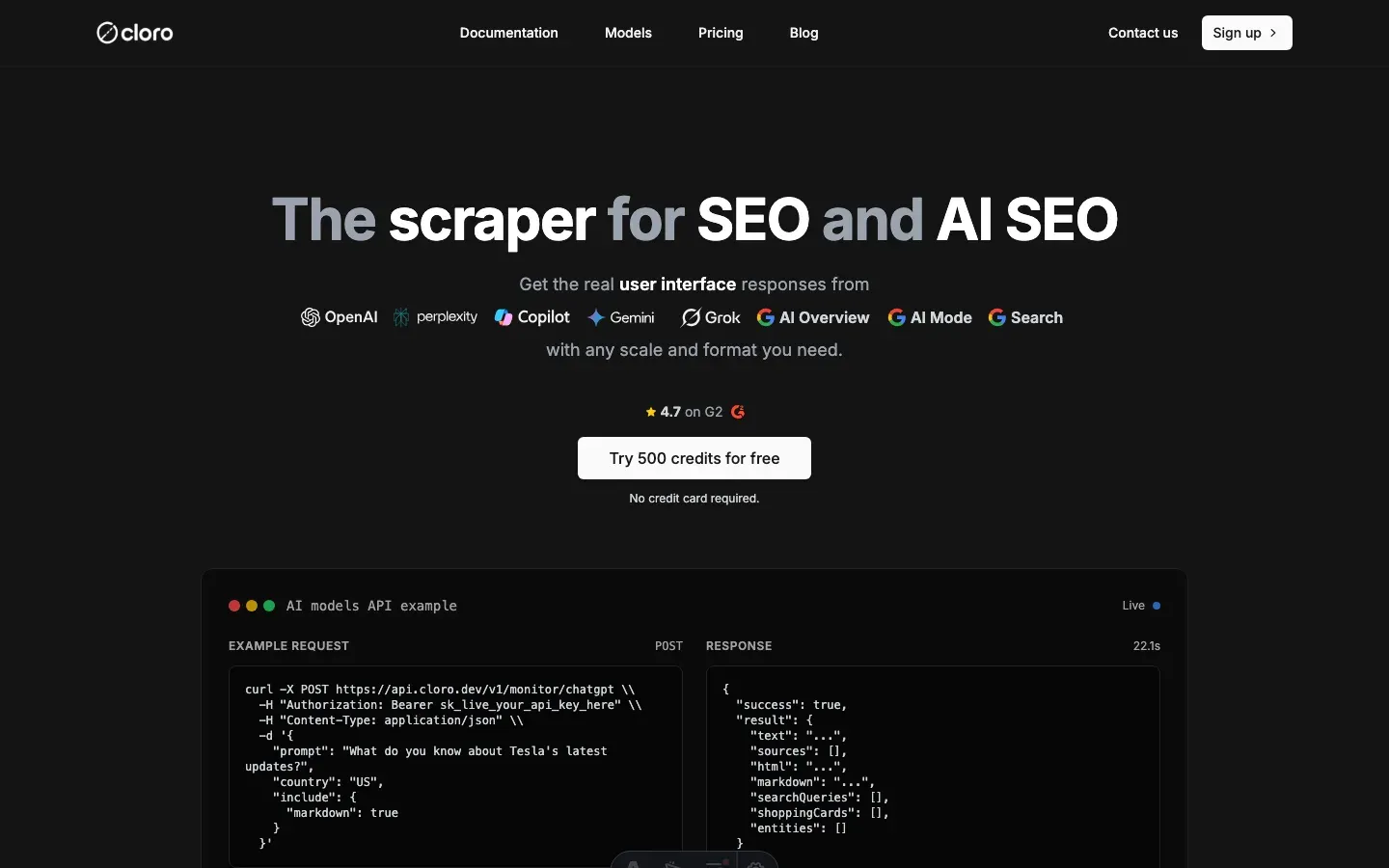
Building and maintaining a reliable AI Overview scraper takes real engineering effort.
Infrastructure requirements
AI Overview-specific work:
- Multi-layout detection and parsing.
- Citation pill interaction.
- Combining AI Overview with the rest of the SERP.
- Browser automation with JavaScript execution.
- Error handling and recovery.
Anti-bot evasion:
- Browser fingerprint rotation.
- CAPTCHA solving.
- Proxy pool management.
- Rate limiting and behavioral simulation.
- Cookie session persistence.
Performance:
- Layout detection.
- Interactive content handling.
- Multi-format output (text, markdown, HTML).
- Error recovery.
- Geographic distribution.
Managed solution API
import requests

# Simple API call - no layout management needed
response = requests.post(
    "https://api.cloro.dev/v1/monitor/google",
    headers={
        "Authorization": "Bearer sk_live_your_api_key",
        "Content-Type": "application/json"
    },
    json={
        "query": "What do you know about Tesla's latest updates?",
        "country": "US",
        "include": {
            "aioverview": {
                "markdown": True
            }
        }
    }
)

result = response.json()
print(f"AI Overview: {result['result']['aioverview']['text'][:100]}...")
print(f"Sources: {len(result['result']['aioverview']['sources'])} citations")
print(f"Organic Results: {len(result['result']['organicResults'])} found")
print(f"Markdown: {'Yes' if result['result']['aioverview'].get('markdown') else 'No'}")
Response structure
{
  "success": true,
  "result": {
    "organicResults": [
      {
        "position": 1,
        "title": "Tesla Updates 2024",
        "link": "https://tesla.com/updates",
        "displayedLink": "tesla.com",
        "snippet": "Latest Tesla updates and improvements...",
        "page": 1
      }
    ],
    "peopleAlsoAsk": [
      {
        "question": "What are Tesla's latest features?",
        "type": "LINK",
        "title": "Tesla Feature Updates",
        "link": "https://example.com/tesla-features"
      }
    ],
    "relatedSearches": [
      {
        "query": "Tesla software updates 2024",
        "link": "https://google.com/search?q=tesla+software+updates+2024"
      }
    ],
    "aioverview": {
      "text": "Tesla's recent updates include significant improvements to their Full Self-Driving capability...",
      "sources": [
        {
          "position": 1,
          "url": "https://tesla.com/updates/fsd",
          "label": "Tesla FSD Updates",
          "description": "Latest Full Self-Driving improvements and capabilities"
        }
      ],
      "html": "https://storage.googleapis.com/aioverview-response.html",
      "markdown": "**Tesla's recent updates** include significant improvements..."
    }
  }
}
Key benefits
- P50 latency under 8s, vs. minutes for manual scraping.
- No infrastructure to run. We handle browsers, proxies, and layout detection.
- Structured data with citation parsing and layout adaptation.
- AI Overview combined with organic results in one response.
- Rate limiting and ethical scraping practices.
- Scales to thousands of requests.
For most teams, cloro’s AI Overview scraper is the faster path. You get:
- Reliable scraping infrastructure out of the box.
- Layout detection and parsing.
- Citation pill handling.
- Error handling and CAPTCHA solving.
- Structured JSON with search integration.
- Text, markdown, and HTML output.
Building and running this in-house typically runs $5,000-10,000/month in dev time, browser instances, proxies, and layout maintenance.
If you need a custom build, the code above is a working starting point. Expect ongoing maintenance as Google ships layout and citation changes.
Ready to pull AI Overview data? Get started with cloro’s API.

About the author
Ricardo Batista
Founder, cloro
Ricardo is one of the founders and engineers behind its SERP and AI-search scraping infrastructure. Before cloro he scaled a financial comparison site to $7M ARR and ran the full-country operations of a unicorn to $65M ARR, then went back to building. He writes about search engine scraping, generative-engine optimization, and turning live search and AI-answer data into something teams can act on.
Frequently asked questions
Is there an official Google AI Overview API?+
No. Google exposes no AI Overview endpoint — AI Overview is a rendered UI surface, not a product API. Neither the Search SERP API nor Vertex AI returns the AI Overview block, and the third-party SERP APIs that advertise an 'AI Overview API' typically return partial data (Surfer measured ~20% overlap between AI APIs and the rendered UI). To capture what real users actually see, you have to render the SERP and parse it — which is what cloro's Google AI Overview API does.
Can I scrape Google AI Overviews with Python requests?+
No. AI Overviews require JavaScript execution. You must use a headless browser like Playwright or Selenium.
Why can't I see AI Overviews when scraping?+
Google often hides AI features from suspicious IPs (datacenter proxies). You need high-quality residential proxies to trigger them.
How do I detect the layout version?+
Google A/B tests layouts constantly. Your scraper needs dynamic selectors that check for multiple potential container IDs (e.g., `#m-x-content`).
How do I request an AI Overview?+
Unlike AI Mode, AI Overviews appear automatically for many queries on google.com. No special URL parameters are needed, but strong anti-bot evasion is.
What is the 'dynamic citation system'?+
Google AI Overview's citations are interactive. They often require clicking a button or hovering to reveal the full source details, which your scraper must simulate.
Related reading
How to scrape Google AI Mode: citation pills + place cards
Scrape Google AI Mode in 2026: extract citation pills, parse place cards and shopping carousels, and intercept the conversational SERP network calls.
How to Scrape Gemini: API, URL Context, and Web UI
Learn how to scrape Gemini with the API, URL context, or web UI automation. Compare structured outputs, citations, and anti-bot trade-offs clearly.
How to Scrape ChatGPT: SSE Streams and Citations
Learn how to scrape ChatGPT: capture SSE streams, expand citations, handle Cloudflare, and decide when a managed API is safer than DIY scraping.