
How to scrape ChatGPT: parse SSE streams + bypass Cloudflare
ChatGPT’s backend-api/f/conversation endpoint streams every response as Server-Sent Events under Cloudflare protection. The official chat.completions API returns plain text — no citations, no shopping cards, no brand entities. The structured data that makes ChatGPT useful for SEO and verification only exists inside the SSE stream.
This guide is about that gap. How the SSE chunks fit together, where the citations hide (lazy-loaded modals behind a button.group/footnote), how Cloudflare’s canvas-fingerprinting layer decides whether your scraper looks human, and what each chatcmpl- chunk contributes to the final reconstructed response.
After parsing over 10 million ChatGPT events at cloro, here’s the protocol map.
Table of contents
- Why scrape ChatGPT responses?
- Understanding ChatGPT’s architecture
- The event stream parsing challenge
- Building the scraping infrastructure
- Parsing the streaming response data
- Extracting structured data from responses
- Using cloro’s managed ChatGPT scraper
Why scrape ChatGPT responses?
The chat.completions API and the chatgpt.com web interface use different stacks. The API answers from a base model. The web interface runs the user’s prompt through a query-fanout step, dispatches a Bing-style web search, hydrates citations from the search results, and (for shopping prompts) injects a product card with merchant offers. That post-processing is where the data SEO and e-commerce teams actually need lives — and the API never sees it.
What only exists in the web stream:
- Citations and source URLs — surfaced via
button.group/footnoteand lazy-hydrated into a flyout modal ([data-testid="screen-threadFlyOut"]) - Shopping cards — embedded as
shopping_cardevents with merchant offers, prices, and ratings - Brand entity tags — emitted as
entitiesevents with type, name, and confidence - Search query metadata — the actual sub-queries ChatGPT issued before answering, surfaced in event metadata
Web-stream scraping also runs roughly 12× cheaper per response than the equivalent paid API call once you account for input + output tokens.
Use cases that only the SSE stream supports:
- Citation auditing. Did ChatGPT cite our docs vs. a competitor’s? Only the modal sources answer this.
- Shopping-card monitoring. Which merchants are appearing in the product card for “best running shoes”? Only the
shopping_cardevent has the offers list. - Entity tracking. Is your brand showing up in the entity sidebar with what confidence score? Only the
entitiesevents expose this. - Query-fanout study. What sub-queries did ChatGPT issue? Only present in the metadata, not in the API response.
Understanding ChatGPT’s architecture
A few things make ChatGPT harder to scrape than a typical site.
ChatGPT’s response generation process:
- Query processing. Your prompt is analyzed and broken down into sub-queries using query fanout.
- Search integration. For web-enabled chats, ChatGPT performs real-time web searches.
- Streaming generation. Responses are generated using Server-Sent Events (SSE).
- Dynamic rendering. Content is rendered client-side using React and web components.
- Source attribution. Citations and sources are dynamically linked and rendered.
Key technical challenges:
JavaScript-heavy interface:
// ChatGPT uses React components that require full browser rendering
const responseContainer = document.querySelector(
  '[data-message-author-role="assistant"]',
);
// Content isn't available in initial HTML
Streaming response format:
data: {"id": "chatcmpl-abc123", "object": "chat.completion.chunk"}
data: {"choices": [{"delta": {"content": "Hello"}}]}
data: [DONE]
Anti-bot detection:
- Canvas fingerprinting
- Behavioral analysis
- Request pattern monitoring
- CAPTCHA challenges
Dynamic content loading:
- Lazy-loaded source citations
- Modal-based source browsing
- Real-time content updates
The event stream parsing challenge
Most of the work in scraping ChatGPT is parsing Server-Sent Events (SSE). What makes it tricky:
Event stream structure:
# Raw ChatGPT event stream example
data: {"id": "chatcmpl-123", "object": "chat.completion.chunk", "created": 1677652288}
data: {"choices": [{"index": 0, "delta": {"content": "I"}}]}
data: {"choices": [{"index": 0, "delta": {"content": " recommend"}}]}
data: {"choices": [{"index": 0, "delta": {"content": " using"}}]}
data: {"choices": [{"index": 0, "delta": {"content": " Python"}}]}
data: [DONE]
Parsing challenges:
- Mixed data types. Events contain both JSON and special markers.
- Partial responses. Content arrives in chunks that need reconstruction.
- Metadata extraction. Model info, citations, and search queries are embedded.
- Error handling. Network issues can split events mid-stream.
Python parsing implementation:
import json
from typing import List, Dict, Any

def extract_raw_response(input_string: str) -> List[Dict[str, Any]]:
    """Parse ChatGPT's Server-Sent Events stream."""
    json_objects = []

    # Split by lines that start with "data: "
    lines = input_string.split("\n")

    for line in lines:
        # Skip empty lines and non-data lines
        if not line.strip() or not line.startswith("data: "):
            continue

        # Remove "data: " prefix
        json_str = line[6:].strip()

        # Skip special markers like [DONE]
        if json_str == "[DONE]":
            continue

        # Try to parse as JSON
        try:
            json_obj = json.loads(json_str)

            # Only include if it's a dictionary (object), not string or other types
            if isinstance(json_obj, dict):
                json_objects.append(json_obj)
        except json.JSONDecodeError:
            # Skip invalid JSON
            continue

    return json_objects
Reconstructing the full response:
def reconstruct_content(events: List[Dict[str, Any]]) -> str:
    """Rebuild complete response from streaming chunks."""
    content_parts = []

    for event in events:
        # Extract content from delta messages
        if 'choices' in event and len(event['choices']) > 0:
            delta = event['choices'][0].get('delta', {})
            if 'content' in delta:
                content_parts.append(delta['content'])

    return ''.join(content_parts)
Building the scraping infrastructure
The infrastructure for ChatGPT specifically has to defeat Cloudflare-level fingerprinting and parse a streaming response under a 60-second response window. That dictates the stack.
Required components for ChatGPT specifically:
- Stealth-patched Playwright Chromium — vanilla Playwright is detected on first navigation. Apply
playwright-stealthor equivalent canvas/WebGL/audioContext patches. - Residential proxy with sticky session — datacenter IPs get a CAPTCHA on first prompt. Stickiness matters because ChatGPT issues a
cf_clearancecookie that has to survive across the prompt round-trip. - Network response interceptor scoped to
backend-api/f/conversation— ChatGPT issues other API calls during page lifecycle; only this URL carries the SSE stream. [DONE]-aware completion detector — DOM-based “is the response complete” checks fire false positives during streaming. The[DONE]sentinel in the SSE body is the only reliable signal.- Lazy-citation expander — citations don’t ship in the SSE stream itself; you have to click
button.group/footnoteand parse the resulting flyout modal after the response completes.
Complete scraper implementation:
import asyncio
from playwright.async_api import async_playwright, Page
import json
from typing import Dict, Any, List

class ChatGPTScraper:
    def __init__(self):
        self.captured_responses = []

    async def setup_page_interceptor(self, page: Page):
        """Set up network request interception."""

        async def handle_response(response):
            # Capture conversation API responses
            if 'backend-api/f/conversation' in response.url:
                response_body = await response.text()
                self.captured_responses.append(response_body)

        page.on('response', handle_response)

    async def scrape_chatgpt(self, prompt: str) -> Dict[str, Any]:
        """Main scraping function."""

        async with async_playwright() as p:
            browser = await p.chromium.launch(headless=False)
            context = await browser.new_context()
            page = await context.new_page()

            # Set up response interception
            await self.setup_page_interceptor(page)

            try:
                # Navigate to ChatGPT
                await page.goto('https://chatgpt.com/?temporary-chat=true')

                # Wait for textarea and enter prompt
                await page.wait_for_selector('#prompt-textarea')
                await page.fill('#prompt-textarea', '/search')  # Enable web search
                await page.press('#prompt-textarea', 'Enter')
                await asyncio.sleep(0.5)

                await page.fill('#prompt-textarea', prompt)
                await page.press('#prompt-textarea', 'Enter')

                # Wait for response completion
                await self.wait_for_response(page)

                # Parse the captured response
                if self.captured_responses:
                    raw_response = self.captured_responses[0]
                    return self.parse_chatgpt_response(raw_response)
                else:
                    raise Exception("No response captured")

            finally:
                await browser.close()

    async def wait_for_response(self, page: Page, timeout: int = 60):
        """Wait for ChatGPT response completion."""

        for i in range(timeout * 2):  # Check every 500ms
            # Check if we have captured responses
            if self.captured_responses:
                # Verify response is complete
                response = self.captured_responses[0]
                if '[DONE]' in response:
                    return

            # Check for content in DOM
            content_div = page.locator('[data-message-author-role="assistant"]').first
            if await content_div.count() > 0:
                content_text = await content_div.text_content()
                if content_text and len(content_text.strip()) > 50:
                    # Check if response seems complete
                    await asyncio.sleep(2)  # Allow for final updates
                    continue

            await asyncio.sleep(0.5)

        raise Exception("Response timeout")

    def parse_chatgpt_response(self, raw_response: str) -> Dict[str, Any]:
        """Parse the raw ChatGPT response into structured data."""

        # Extract streaming events
        events = extract_raw_response(raw_response)

        # Reconstruct content
        content = reconstruct_content(events)

        # Extract metadata
        model = self.extract_model_info(events)
        search_queries = self.extract_search_queries(events)

        return {
            'content': content,
            'model': model,
            'search_queries': search_queries,
            'raw_events': events
        }

    def extract_model_info(self, events: List[Dict]) -> str:
        """Extract model information from events."""
        for event in events:
            if 'model' in event:
                return event['model']
        return 'unknown'

    def extract_search_queries(self, events: List[Dict]) -> List[str]:
        """Extract search queries from the response."""
        queries = []

        # This requires analyzing the metadata in the events
        # Implementation varies based on ChatGPT's current format
        for event in events:
            if 'metadata' in event:
                metadata = event.get('metadata', {})
                if 'search_queries' in metadata:
                    queries.extend(metadata['search_queries'])

        return queries
Parsing the streaming response data
A closer look at the data extraction.
Extracting citations and sources:
async def extract_sources(page: Page) -> List[Dict[str, Any]]:
    """Extract source citations from ChatGPT response."""

    try:
        # Click sources button if available
        sources_button = page.locator("button.group\\/footnote")
        if await sources_button.count() > 0:
            await sources_button.first.click()

            # Wait for modal
            modal = page.locator('[data-testid="screen-threadFlyOut"]')
            await modal.wait_for(state="visible", timeout=2000)

            # Extract links from modal
            links = modal.locator("a")
            link_count = await links.count()

            sources = []
            for i in range(link_count):
                link = links.nth(i)
                url = await link.get_attribute('href')
                text = await link.text_content()

                if url:
                    sources.append({
                        'url': url,
                        'title': text.strip() if text else '',
                        'position': i + 1
                    })

            return sources

    except Exception as e:
        print(f"Source extraction failed: {e}")
        return []
Shopping card extraction:
def extract_shopping_cards(events: List[Dict]) -> List[Dict[str, Any]]:
    """Extract product/shopping information from response."""

    shopping_cards = []

    for event in events:
        if 'shopping_card' in event:
            card_data = event['shopping_card']

            # Parse product information
            products = []
            for product in card_data.get('products', []):
                product_info = {
                    'title': product.get('title'),
                    'url': product.get('url'),
                    'price': product.get('price'),
                    'rating': product.get('rating'),
                    'num_reviews': product.get('num_reviews'),
                    'image_urls': product.get('image_urls', []),
                    'offers': []
                }

                # Parse merchant offers
                for offer in product.get('offers', []):
                    product_info['offers'].append({
                        'merchant_name': offer.get('merchant_name'),
                        'price': offer.get('price'),
                        'url': offer.get('url'),
                        'available': offer.get('available', True)
                    })

                products.append(product_info)

            shopping_cards.append({
                'tags': card_data.get('tags', []),
                'products': products
            })

    return shopping_cards
Entity extraction:
def extract_entities(events: List[Dict]) -> List[Dict[str, Any]]:
    """Extract named entities from ChatGPT response."""

    entities = []

    for event in events:
        if 'entities' in event:
            for entity in event['entities']:
                entities.append({
                    'type': entity.get('type'),
                    'name': entity.get('name'),
                    'confidence': entity.get('confidence'),
                    'context': entity.get('context')
                })

    return entities
Using cloro’s managed ChatGPT scraper
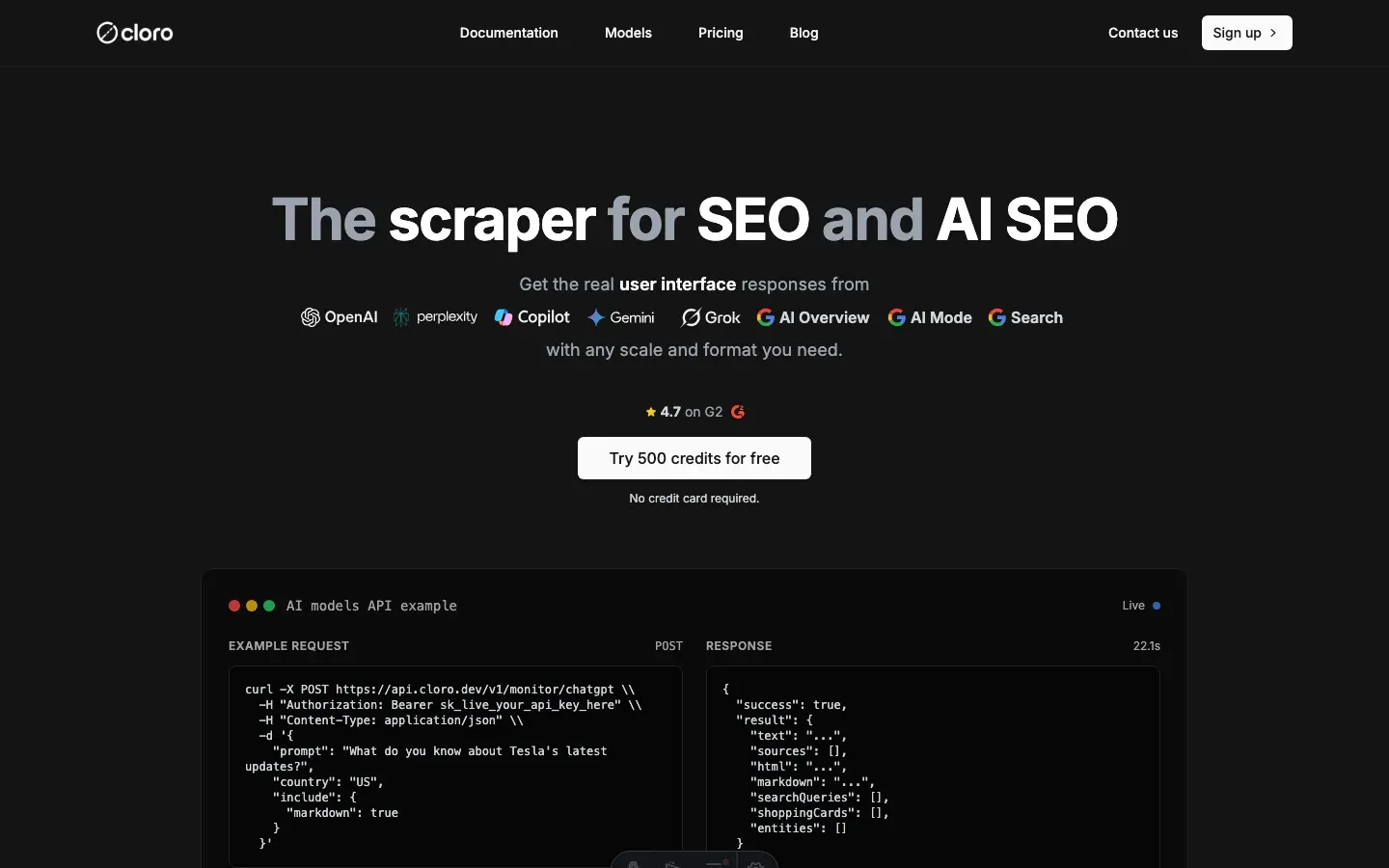
The hard part of running this in-house isn’t the scraper code — it’s keeping up with OpenAI. The backend-api/f/conversation URL has changed twice in 2025. Cloudflare’s fingerprint check is updated on a rolling basis. The shopping-card event shape moved from a flat products array to a nested offers block last quarter. Every change is a Slack ping at 11pm and a hot-fix the next morning.
cloro’s /v1/monitor/chatgpt endpoint absorbs that maintenance.
Simple API integration:
import requests
import json

# Your prompt
prompt = "Compare the top 3 programming languages for web development in 2026"

# API request to cloro
response = requests.post(
    'https://api.cloro.dev/v1/monitor/chatgpt',
    headers={'Authorization': 'Bearer YOUR_API_KEY'},
    json={
        'prompt': prompt,
        'country': 'US',
        'include': {
            'markdown': True,
            'rawResponse': True,
            'searchQueries': True
        }
    }
)

result = response.json()
print(json.dumps(result, indent=2))
What /v1/monitor/chatgpt handles for you:
- Cloudflare fingerprint rotation. Stealth-patched browsers tracked against the live cf_clearance challenge.
backend-api/f/conversationURL pinning. When OpenAI rotates the path, we ship the fix; you keep calling the same cloro endpoint.- SSE chunk reassembly.
chatcmpl-chunks parsed and stitched into one response object. - Citation flyout extraction. The lazy-loaded sources modal parsed into a positional
sourcesarray. - Shopping-card normalization. The event shape is normalized —
products[].offers[]is stable across OpenAI’s internal refactors. - Entity + search-query metadata. Extracted from the SSE stream and exposed as first-class fields.
Structured output you get:
{
  "status": "success",
  "result": {
    "model": "gpt-5-mini",
    "text": "When comparing programming languages for web development in 2026...",
    "markdown": "**When comparing programming languages for web development in 2026**...",
    "sources": [
      {
        "position": 1,
        "url": "https://developer.mozilla.org/en-US/docs/Learn",
        "label": "MDN Web Docs",
        "description": "Comprehensive web development documentation"
      }
    ],
    "shoppingCards": [
      {
        "tags": ["programming", "education"],
        "products": [
          {
            "title": "Python Crash Course",
            "price": "$39.99",
            "rating": 4.8,
            "offers": [...]
          }
        ]
      }
    ],
    "searchQueries": ["web development languages 2026", "popular programming frameworks"],
    "rawResponse": [...]
  }
}
Why teams pick cloro for ChatGPT specifically:
- Cloudflare passes that survive across prompts. Most DIY stacks burn a cf_clearance per call; cloro’s session pool reuses one across an entire monitoring batch.
- First-class shopping-card output. Other vendors return raw HTML; cloro returns the normalized
offers[].merchantshape that survives OpenAI’s internal refactors. - Citation expansion on by default. No flyout-clicking ceremony — the modal is parsed automatically into a positional sources array.
- Entity sidebar exposed. The brand-entity events that other scrapers drop on the floor are first-class output fields.
Building this in-house typically runs $5,000–10,000/month once you account for the Cloudflare fingerprint-rotation work, the backend-api URL maintenance, the residential proxy spend, and the on-call rotation.
If you need a custom setup, the protocol map above is the starting point. Expect ongoing work as OpenAI ships UI updates — the SSE chunk shape has changed twice this year, and the shopping-card event format has moved once.
Get started with cloro’s ChatGPT API and skip the maintenance.
Frequently asked questions
How do I bypass Cloudflare on ChatGPT?+
You need a high-trust residential proxy and a browser automation tool like Playwright with stealth plugins to mimic human fingerprints.
Can I scrape citations from ChatGPT?+
Yes, but they are often lazy-loaded. Your scraper needs to interact with the UI to expand source lists before extracting the HTML.
Does ChatGPT have an API for search results?+
No. The official API is for text generation. To get the search results and citations users see in the web interface, you must scrape.
What is the 'event stream parsing' challenge?+
ChatGPT uses Server-Sent Events (SSE) to stream responses in chunks. Your scraper needs to parse these mixed data types and reconstruct the full response, including metadata like citations.
How much does it cost to build a ChatGPT scraper?+
Building and maintaining a reliable ChatGPT scraper can cost $5,000-10,000/month in development time, browser instances, proxy services, and ongoing maintenance. Managed services like cloro offer a more cost-effective solution.
Related reading
How to scrape Microsoft Copilot: WebSocket events + auth sessions
Scrape Microsoft Copilot in 2026: intercept the WebSocket protocol, manage Microsoft account session cookies, and extract source URLs from event metadata.
How to scrape Google Gemini: parse internal API confidence scores
Scrape Google Gemini in 2026: intercept the internal API protocol, extract confidence-scored structured outputs, and handle Google account session checks.

How to scrape Perplexity: capture citations from event streams
Scrape Perplexity AI in 2026: extract the cited sources block from the SSE stream, parse Related Questions JSON, and handle Cloudflare protection.